

Stazioni di ricarica EV Teltonika
Dispositivi supportati
| Device Type | Variants | Modbus TCP (Ethernet) | RS485 |
|---|---|---|---|
| TeltoCharge | 7.4kW/11kW/22kW | ✅* | ✅ |
Avviso
Avviso
TCP è disponibile solo per la versione EVC2 o per i caricabatterie EV di generazione più recente.
Connessione
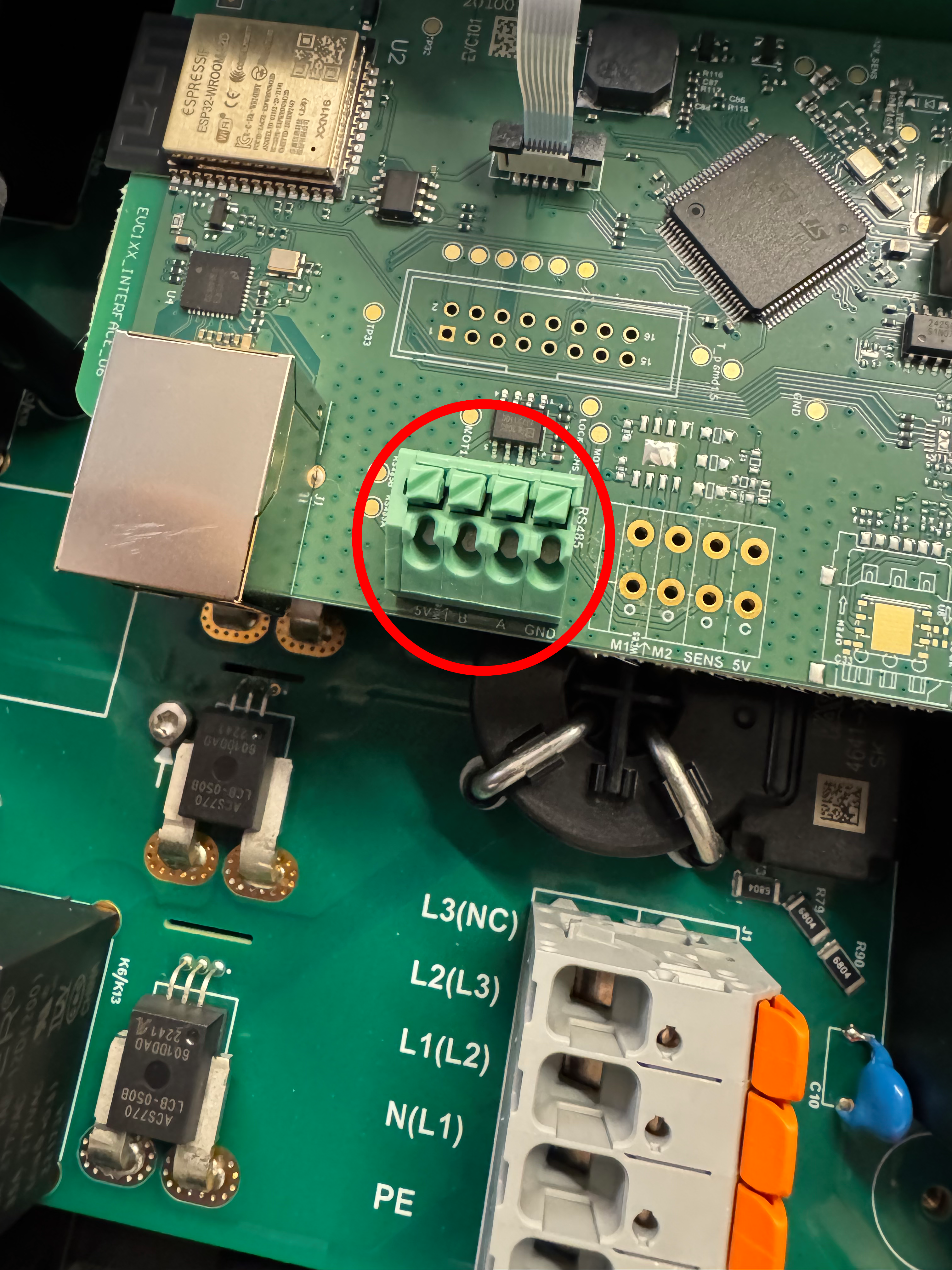
La comunicazione tra SmartgridOne Controller e il TeltoCharge avviene tramite un bus seriale RS-485 o Modbus TCP.
Info
RS485 Wiring
- For correct RS485 wiring: Follow the guidelines for RS485 wiring.
- If the wiring shown in the table below is incorrect, please let us know.
- There is no general consensus in the industry about the usage of A and B for the RS485 polarity, so it may be counterintuitive and opposite of what you might expect for some devices.
| Device | SmartgridOne Controller model OM1 | SmartgridOne Controller model IG8 | RS485-USB converter | RS485-Ethernet converter |
|---|---|---|---|---|
| RS485 A | RS485 A | RS485_POS | RS485 A | TX+ |
| RS485 B | RS485 B | RS485_NEG | RS485 B | TX- |
| GND | RS GND | GND | Not available | G |
Avviso
NOTE: RS485 Device Addresses
- You MUST give each device on the RS485 bus a unique address. Check the manual of the device on how to do this.
- Use lower addresses first (1, 2, ...) because the SmartgridOne Controller will find them faster!
- For each device, it is generally recommended to stick with the factory default baud rate, parity, and stop bits. The SmartgridOne Controller will scan on those first.
Impostazioni
Segui i passaggi riportati di seguito per abilitare Modbus sul TeltoCharge:
- Apri le impostazioni del dispositivo nell'app Teltonika.
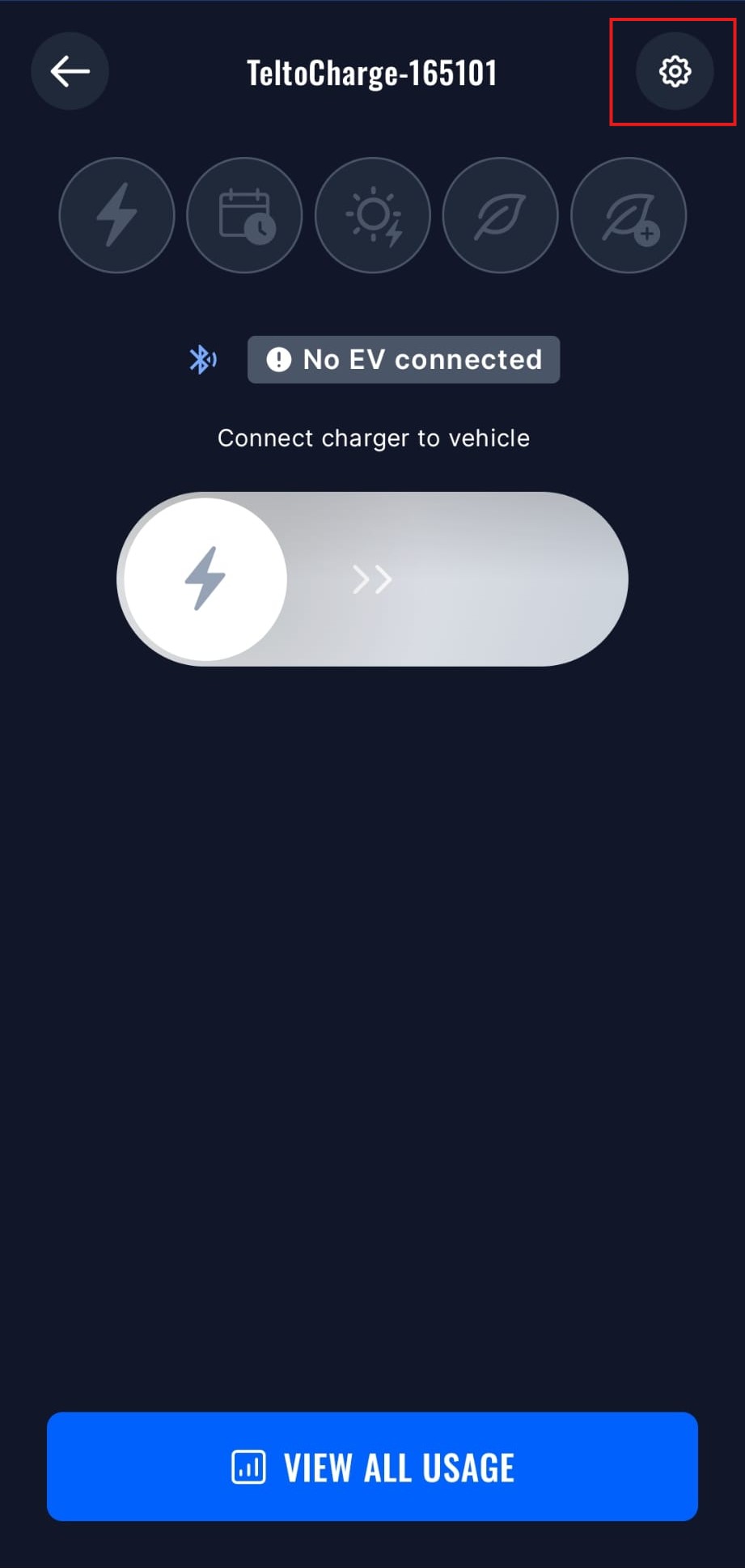
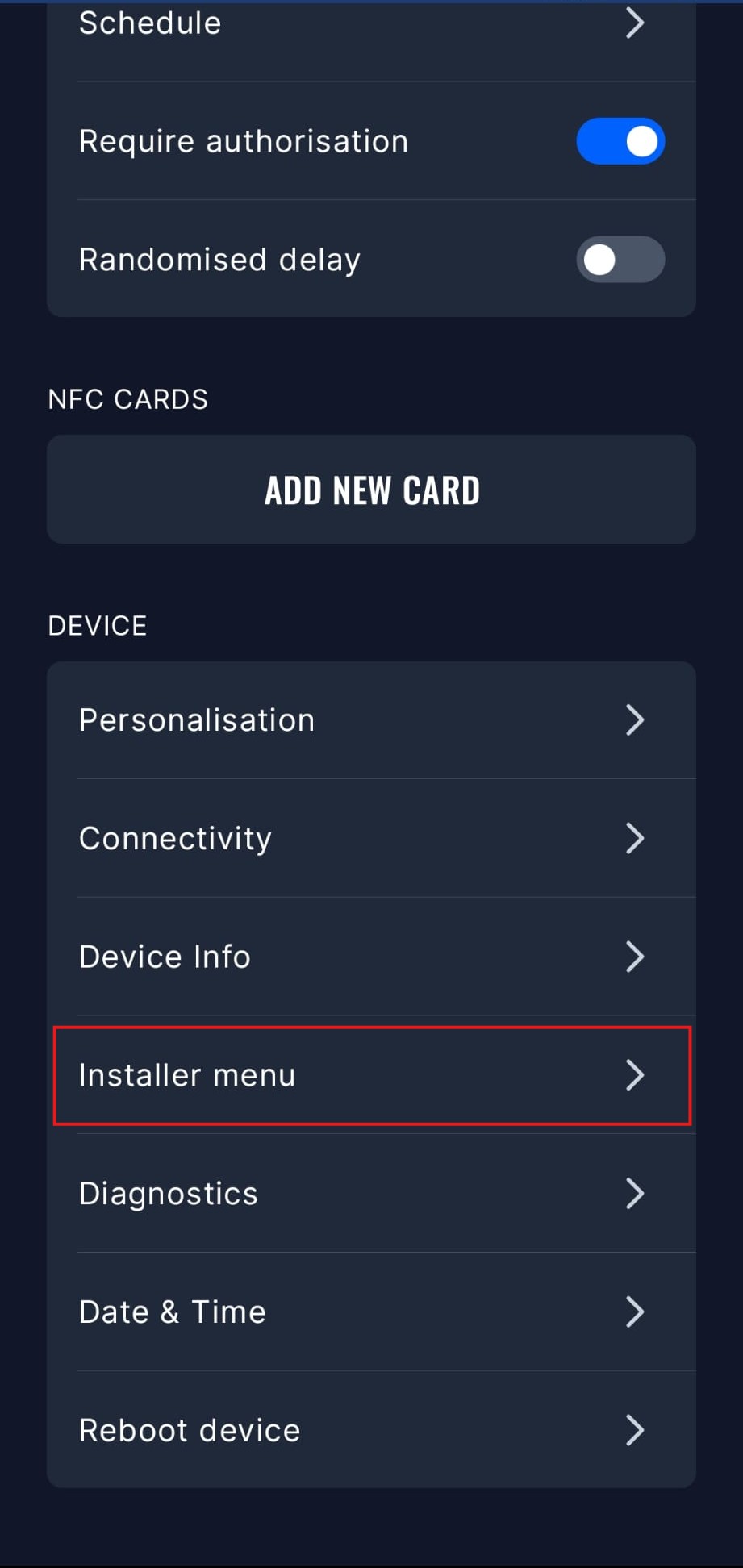
- Apri il menu Installer; per accedere a questo menu dovrai inserire il codice dell'installatore.
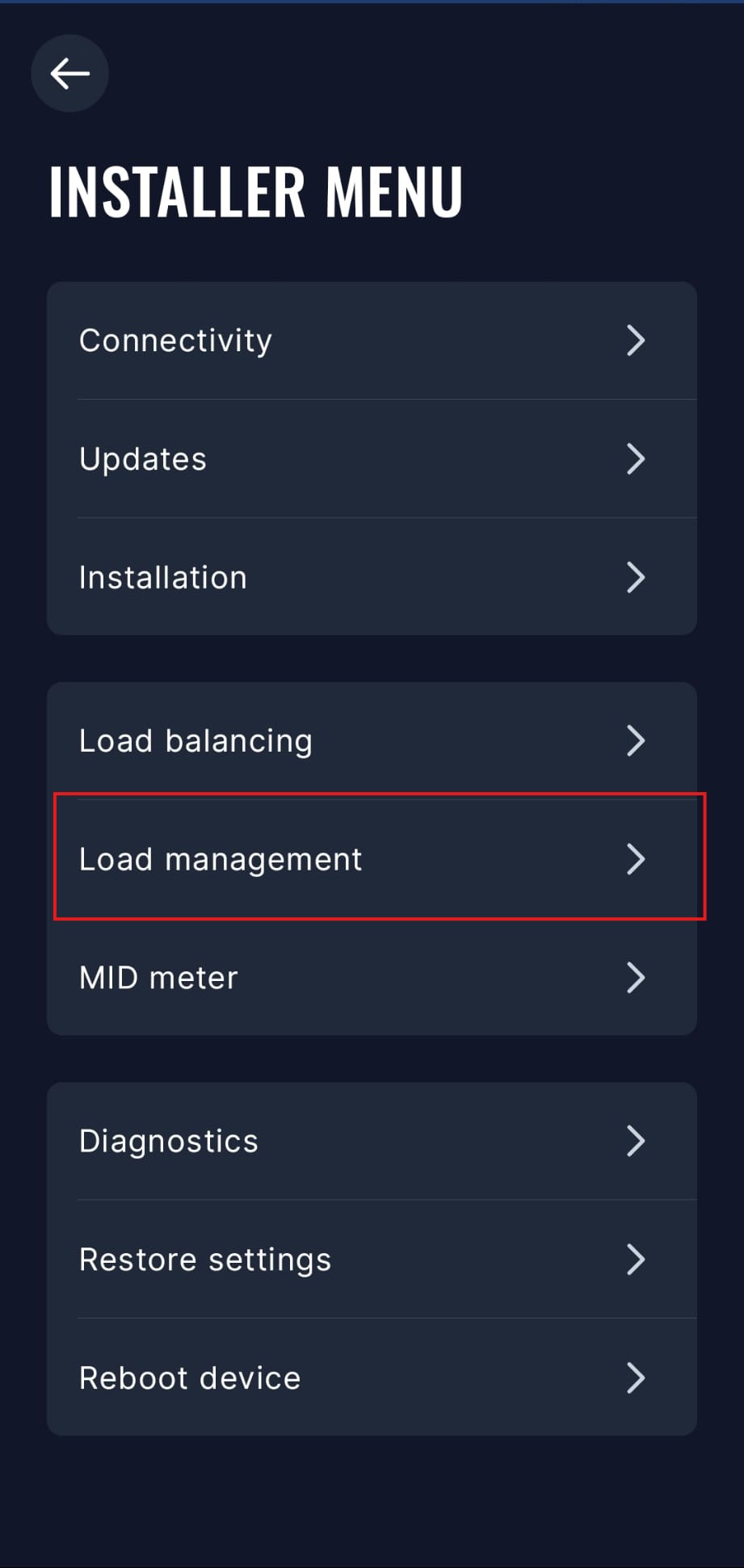
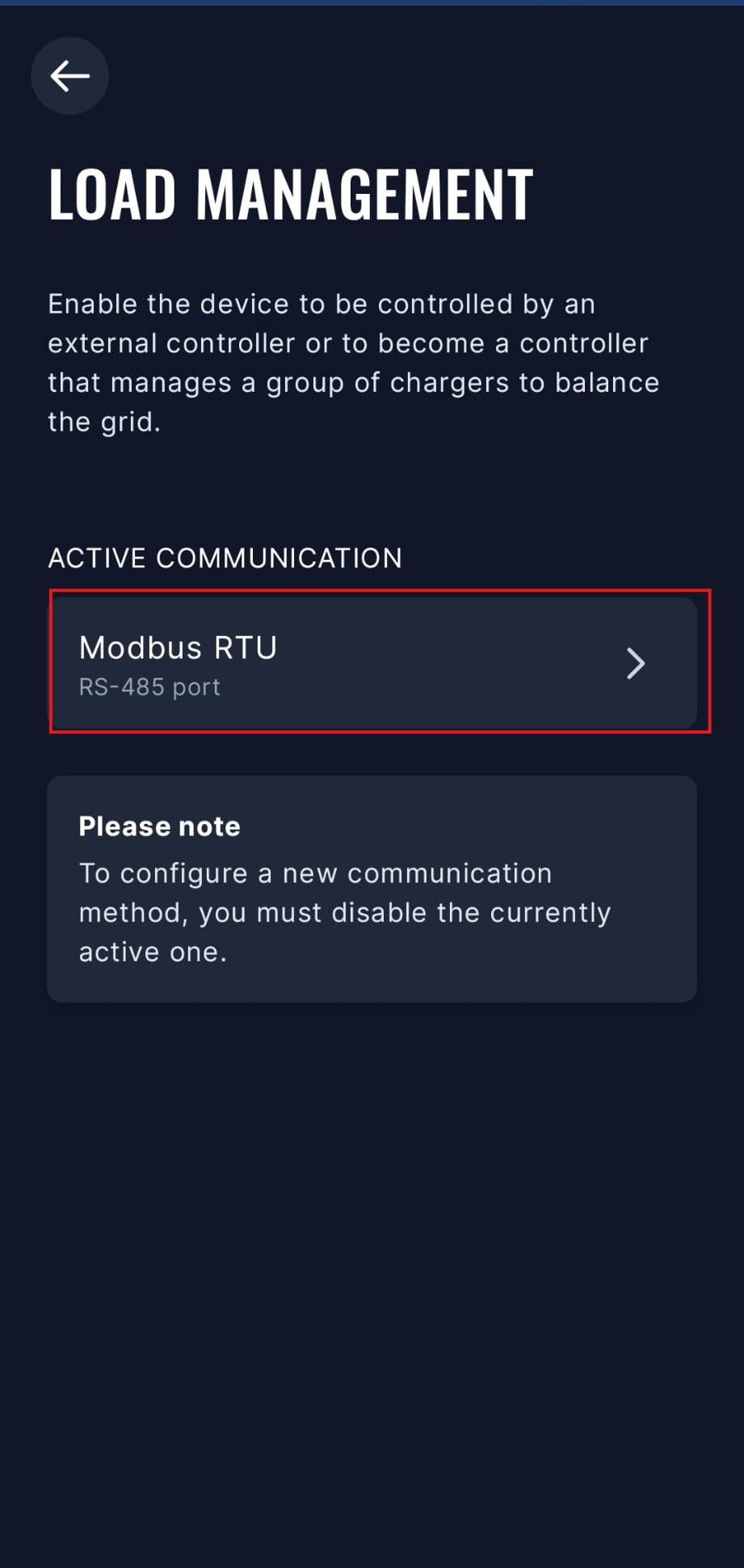
- Apri il menu Gestione del carico.
- Seleziona l'opzione Modbus RTU. Per abilitare Modbus RTU dovrai disabilitare le altre opzioni di comunicazione.
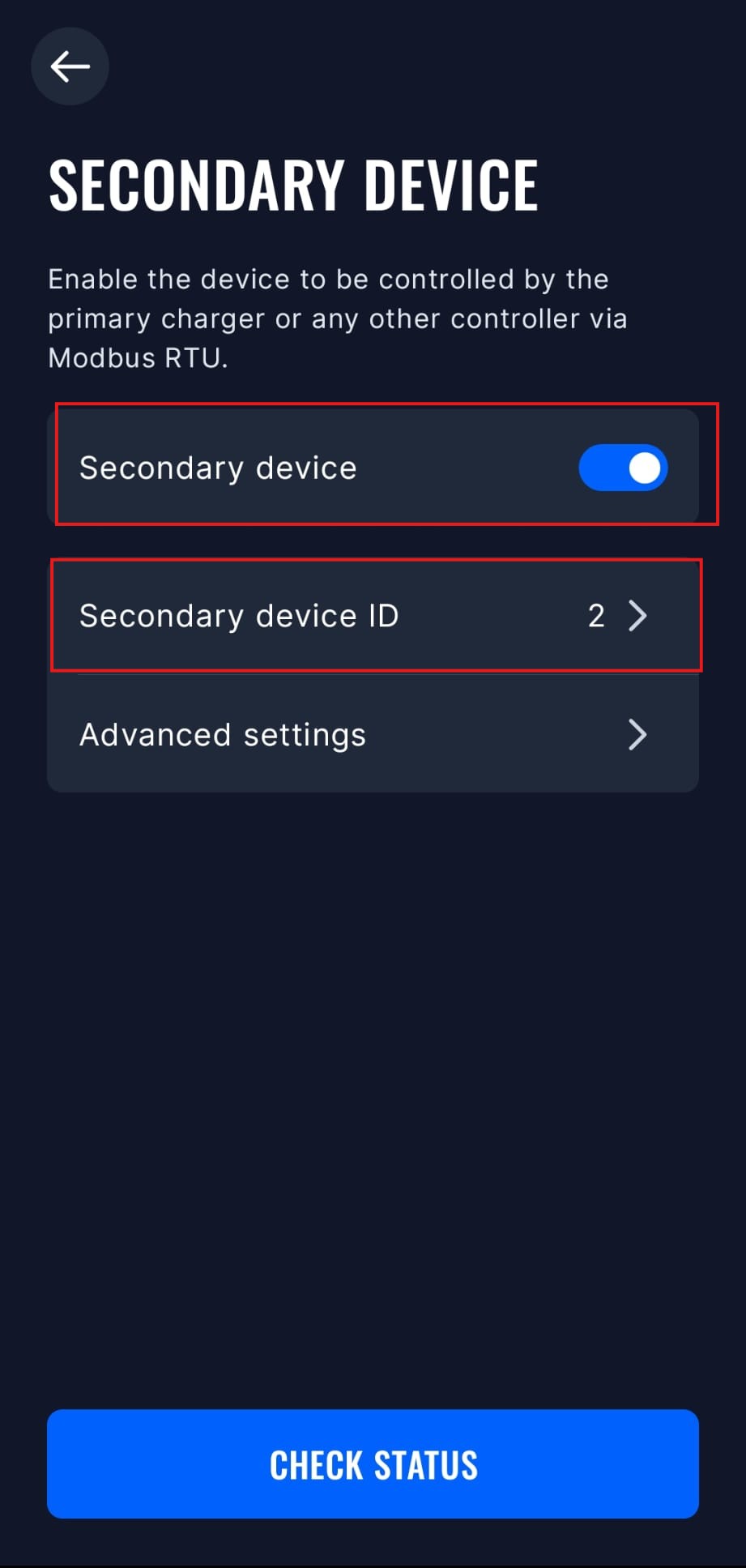
- Seleziona la modalità "Dispositivo secondario" e abilitala. In questo menu puoi anche impostare l'indirizzo Modbus e altre impostazioni avanzate, ma le impostazioni predefinite dovrebbero funzionare correttamente.
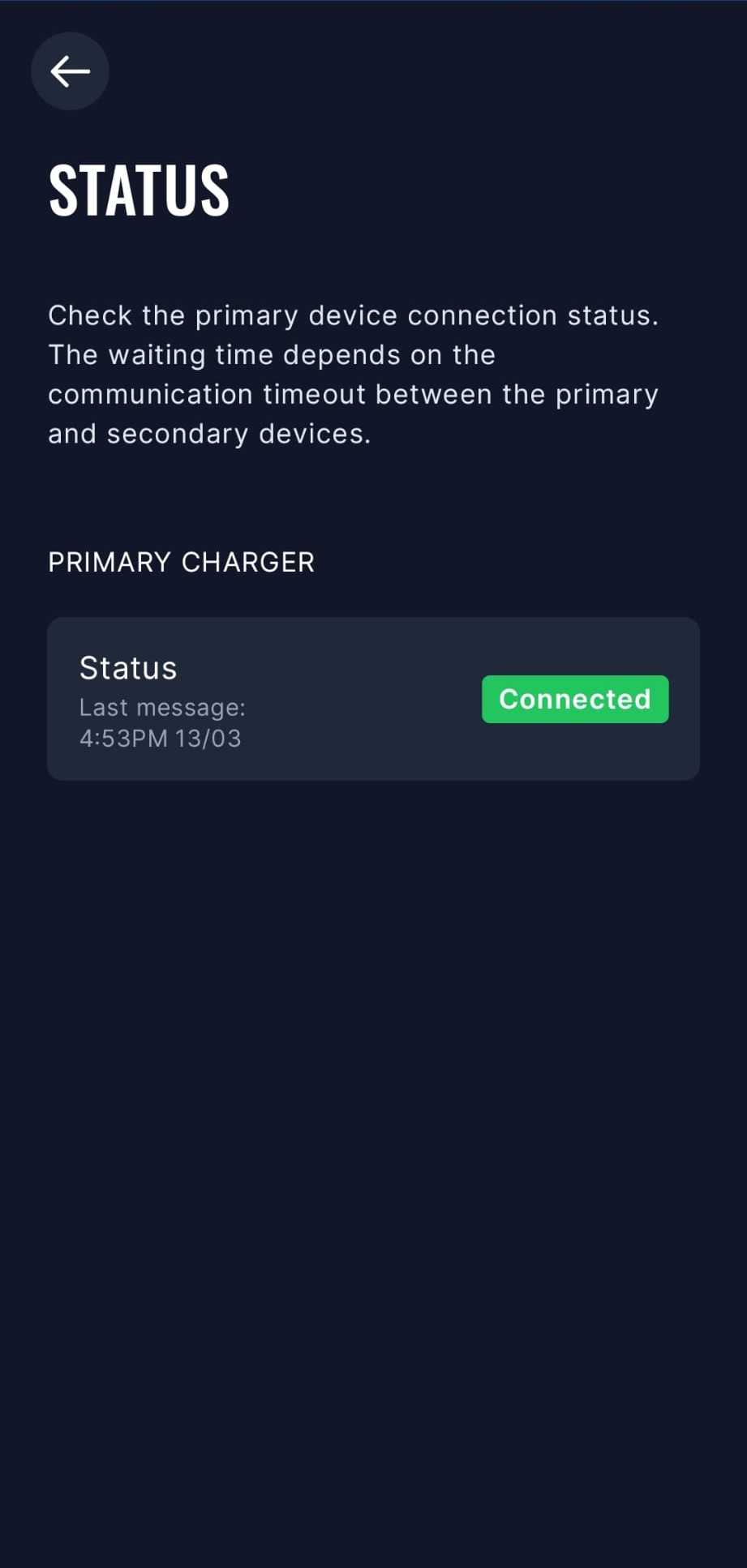
- SmartgridOne Controller potrà ora comunicare con il TeltoCharge tramite Modbus RTU. Puoi verificare lo stato della connessione nell'app.
Modelli precedenti
È necessario abilitare modbus sul TeltoCharge:
- Apri l'app Teltonika
- Vai a "Impostazioni" -> "Menu Installer"
- Abilita "Bilanciamento dinamico del carico"
- Dopo questa operazione sarà visibile "Gestione dinamica del carico"
- Scorri verso il basso e abilita "Gestione dinamica del carico"
- Clicca su "Salva"
- Il TeltoCharge verrà riavviato e modbus sarà abilitato
Last updated March 17, 2026Edit this page