

Ondersteunde Apparaten
| Device Type | Variants | Modbus TCP (Ethernet) | RS485 | Curtailment |
|---|---|---|---|---|
| Driefasige hybride omvormer | SUNSYNK-12K-SG04LP3, SUNSYNK-50K-SG01HP3-EU-BM4 | ✅ | ✅ | ✅ |
Bekabeling
RS485
Info
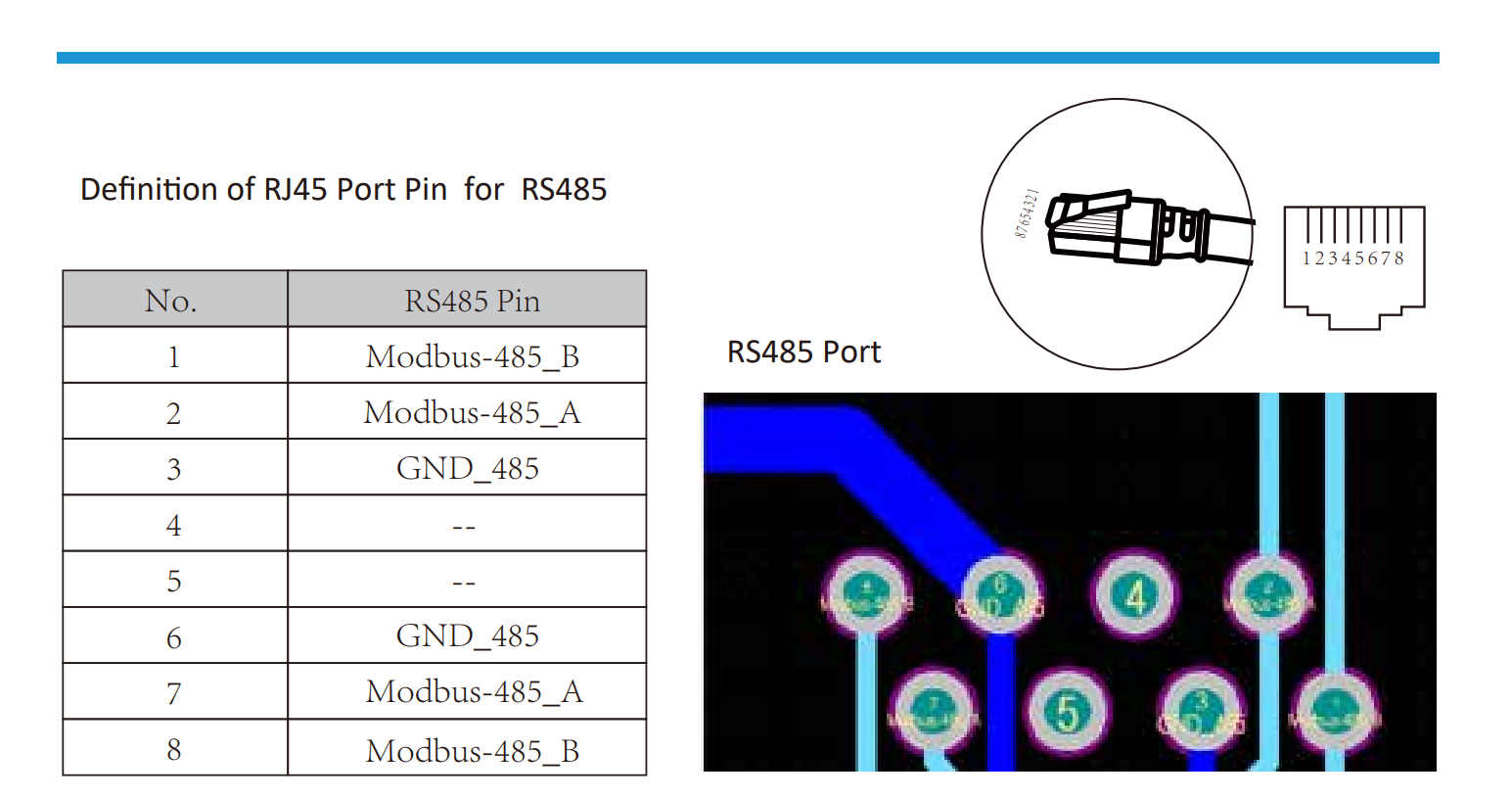
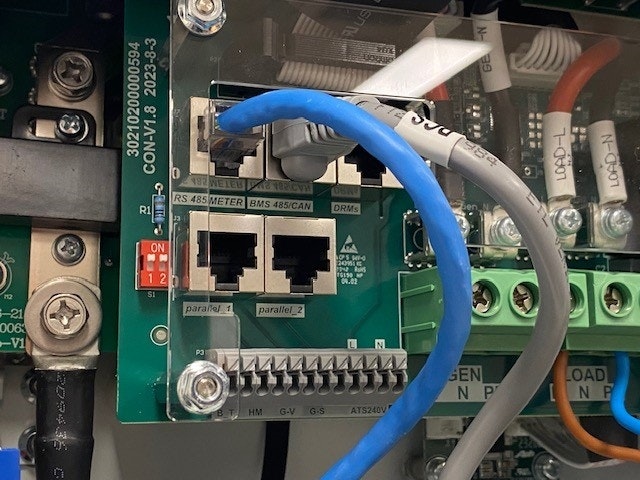
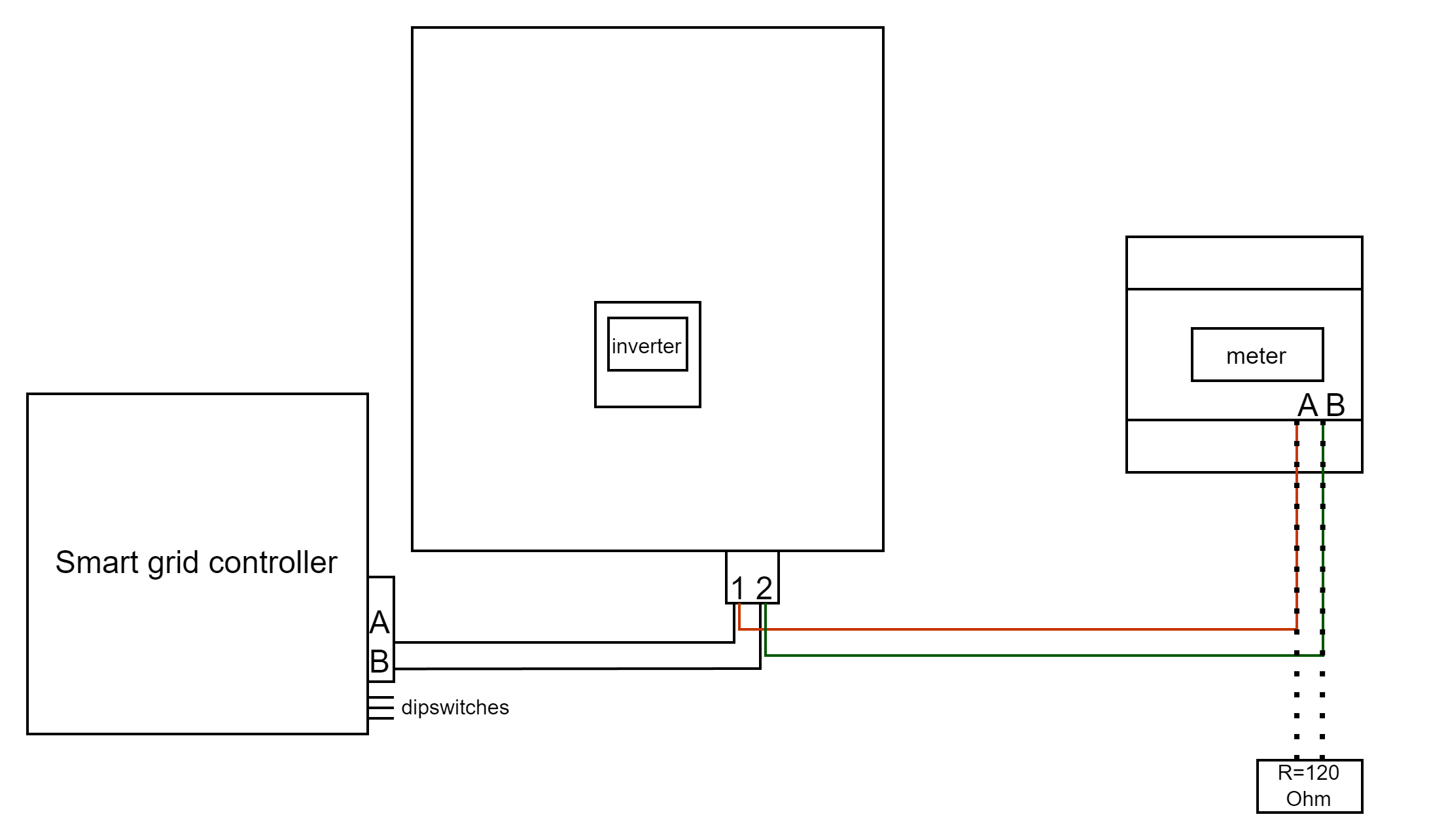
RS485 Wiring
- For correct RS485 wiring: Follow the guidelines for RS485 wiring.
- If the wiring shown in the table below is incorrect, please let us know.
- There is no general consensus in the industry about the usage of A and B for the RS485 polarity, so it may be counterintuitive and opposite of what you might expect for some devices.
| Device | SmartgridOne Controller model OM1 | SmartgridOne Controller model IG8 | RS485-USB converter | RS485-Ethernet converter |
|---|---|---|---|---|
| Pin 1 / Modbus-485_B | RS485 A | RS485_POS | RS485 A | TX+ |
| Pin 2 / Modbus-485_A | RS485 B | RS485_NEG | RS485 B | TX- |
| Pin 3 / GND_485 | RS GND | GND | Not available | G |
Configuratie
Waarschuwing
NOTE: RS485 Device Addresses
- You MUST give each device on the RS485 bus a unique address. Check the manual of the device on how to do this.
- Use lower addresses first (1, 2, ...) because the SmartgridOne Controller will find them faster!
- For each device, it is generally recommended to stick with the factory default baud rate, parity, and stop bits. The SmartgridOne Controller will scan on those first.
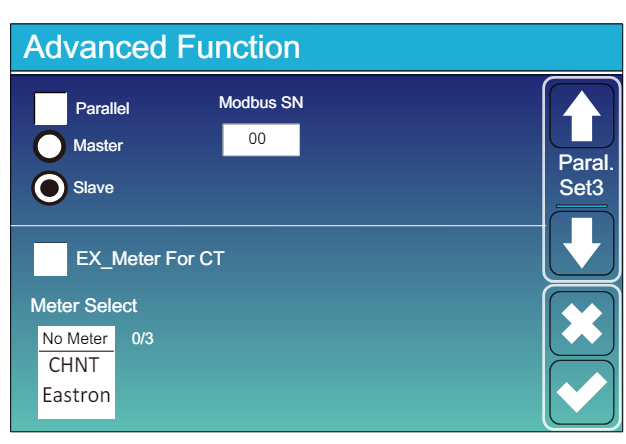
Ga naar "Hoofdscherm" >> "Systeeminstellingen" >> "Geavanceerde Functie."
- Modbus SN moet worden ingesteld op een nummer tussen 1 en 247. Kies geen 0!! Merk op dat als er meerdere apparaten op de RS485-bus zijn, ieder een uniek nummer moet krijgen. Dit is het adres.
- Slave moet aangevinkt zijn.
- Alleen wanneer een extra meter direct op de omvormer is aangesloten, moet "EX_meter For CT" aangevinkt zijn. Als er alleen een meter parallel is aangesloten met de SmartgridOne Controller moet dit niet aangevinkt zijn.
- Zorg ervoor dat de volgende instellingen allemaal correct zijn: "Max A Charge", "Max A Discharge", "Grid Charge Ampere"
Last updated May 4, 2026Edit this page