

SmartgridOne logo
SmartgridOne logo
Accessories
AppCertificates
Configuration from A to Z
Control response timeController
Customer Specific
Devices
Boiler
Cloud
Energy Meter
Ev Charging Station
a-TroniXABBAlfenAlpitronicAmtronAutelBlitz-PowerEaseeEnovatesEtrelFLEXeCHARGEGo-eHuawei SChargerIlumenKempowerMyEnergi EV Charging StationsOCPPPeblar EV Charging StationsRaedianSchneider ElectricSiemensSMASofarTeltonika EV Charging StationsVolt-TimeVoolWallbox EV Charging StationsZaptecZDK Booster
Gas Meter
Heat Pump
New integrations
Plc
Pv Hybrid And Battery Inverters
Switched Loads
Water Meter
External Signals
InstallationLicenseNetworkQuick StartSafety, maintenance and legal noticesSpecificationsStatus LEDs
Toolbox
Troubleshooting
Video tutorialsWiring & connectivity guidelines
DevicesEv Charging Station

Vool EV Charger

Vool

Supported Devices

Device TypeModbus TCP (Ethernet)
Vool EV Charger✅

Configuration

  1. Connect your computer to the same LAN network as the Vool charger.
  2. Access the charger's configuration interface and enable parameter 522 – Enable Modbus TCP/UDP interface. By default, Modbus is disabled on the charger.
  3. Ensure the charger is reachable on port 502 (TCP).
Warning
Warning

Please note:

  • Modbus and OCPP cannot be used simultaneously. The charger uses one common interface at a time — hybrid connections (e.g. Modbus on Wi-Fi and OCPP on Ethernet) are not supported.
  • The Modbus interface does not include any security. Only use Modbus in local, secure networks.
  • The charger supports a maximum of 3 simultaneous Modbus connections. Additional connection attempts will be rejected.
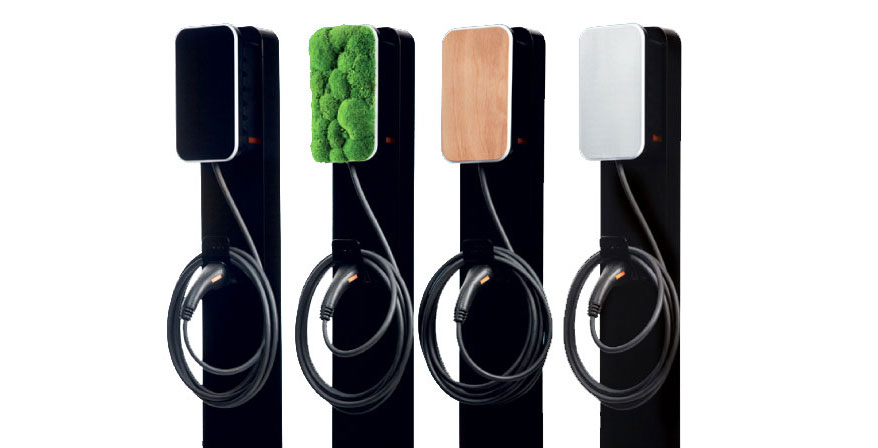
Vool charger

Volt-Time

Previous Page

Wallbox EV Charging Stations

Next Page

On this page

Vool EV ChargerSupported DevicesConfiguration