
محولات Ampowr

محولات Ampowr
الأجهزة المدعومة
| Device Type | Variants | Modbus TCP (Ethernet) | RS485 |
|---|---|---|---|
| Ampihome | Single-Phase | ❌ | ✅ |
| Three-Phase | |||
| Hybrid | ✅ |
التوصيل
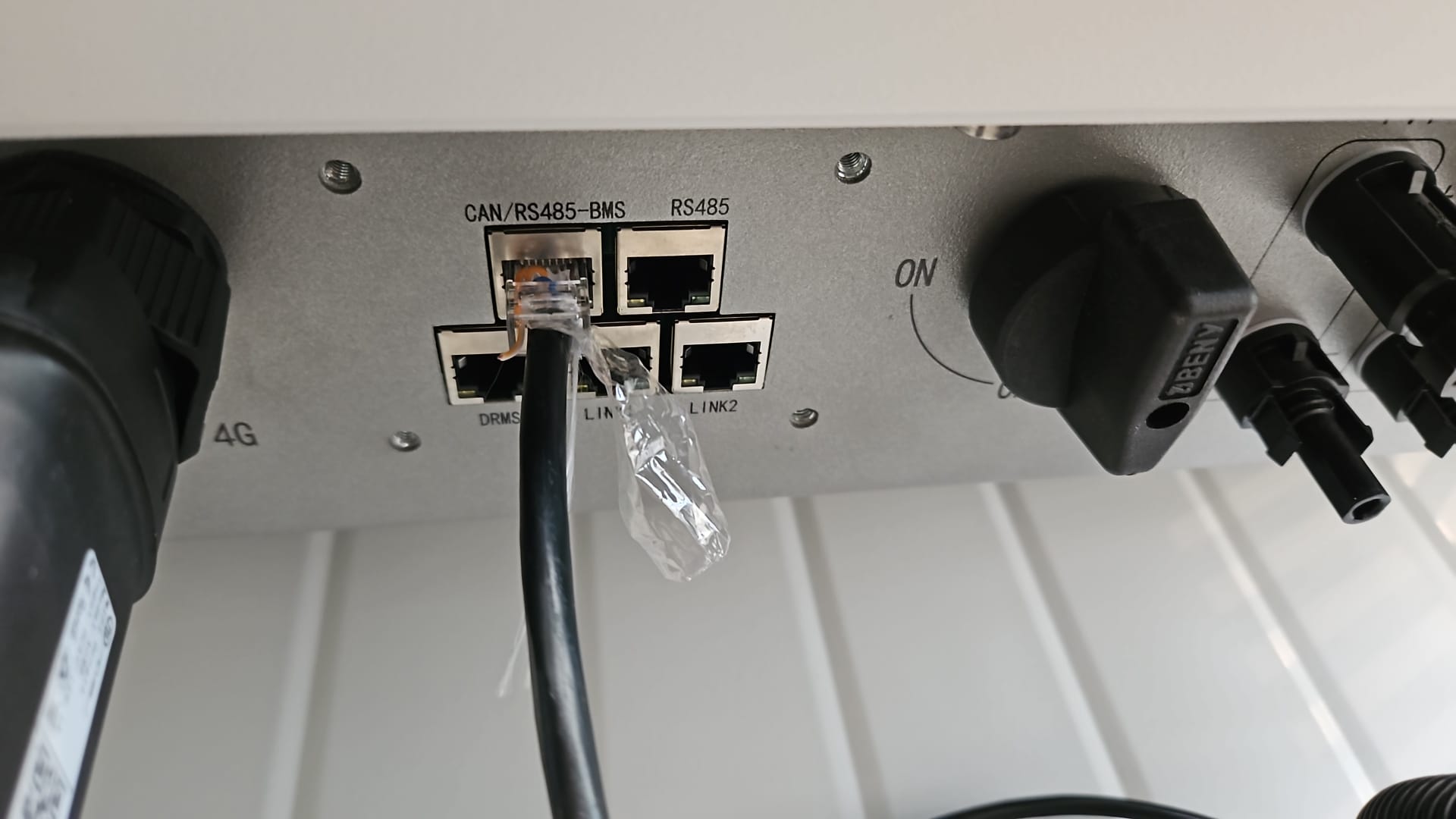
يتواصل SmartgridOne Controller ومحولات Ampihone عبر RS485 أو Ethernet.
Ethernet
للتوصيل الصحيح عبر Ethernet: اتبع إرشادات التوصيل عبر Ethernet.
RS485
معلومات
RS485 Wiring
- For correct RS485 wiring: Follow the guidelines for RS485 wiring.
- If the wiring shown in the table below is incorrect, please let us know.
- There is no general consensus in the industry about the usage of A and B for the RS485 polarity, so it may be counterintuitive and opposite of what you might expect for some devices.
| Device | SmartgridOne Controller model OM1 | SmartgridOne Controller model IG8 | RS485-USB converter | RS485-Ethernet converter |
|---|---|---|---|---|
| Pin 7 (White-Brown) | RS485 A | RS485_POS | RS485 A | TX+ |
| Pin 8 (Brown) | RS485 B | RS485_NEG | RS485 B | TX- |
| N/A | RS GND | GND | Not available | G |
تحذير
تحذير
لا يمكنني العثور على محول Ampihome الخاص بي بالنسبة إلى محولات Ampowr الهجينة، تكون عناوين الناقل الافتراضية هي 247 لـ Modbus RTU و255 لـ Modbus TCP. ستفحص SmartgridOne Controller جميع العناوين من 1 إلى 255 بحثًا عن الأجهزة. لذلك، قد يستغرق فحص الأجهزة بعض الوقت.
تلميح: إذا كنت تعرف عنوان الناقل الخاص بالمحول، فيمكنك تعيينه في SmartgridOne Controller لتسريع عملية الفحص.
التكوين
Ampihome أحادي الطور
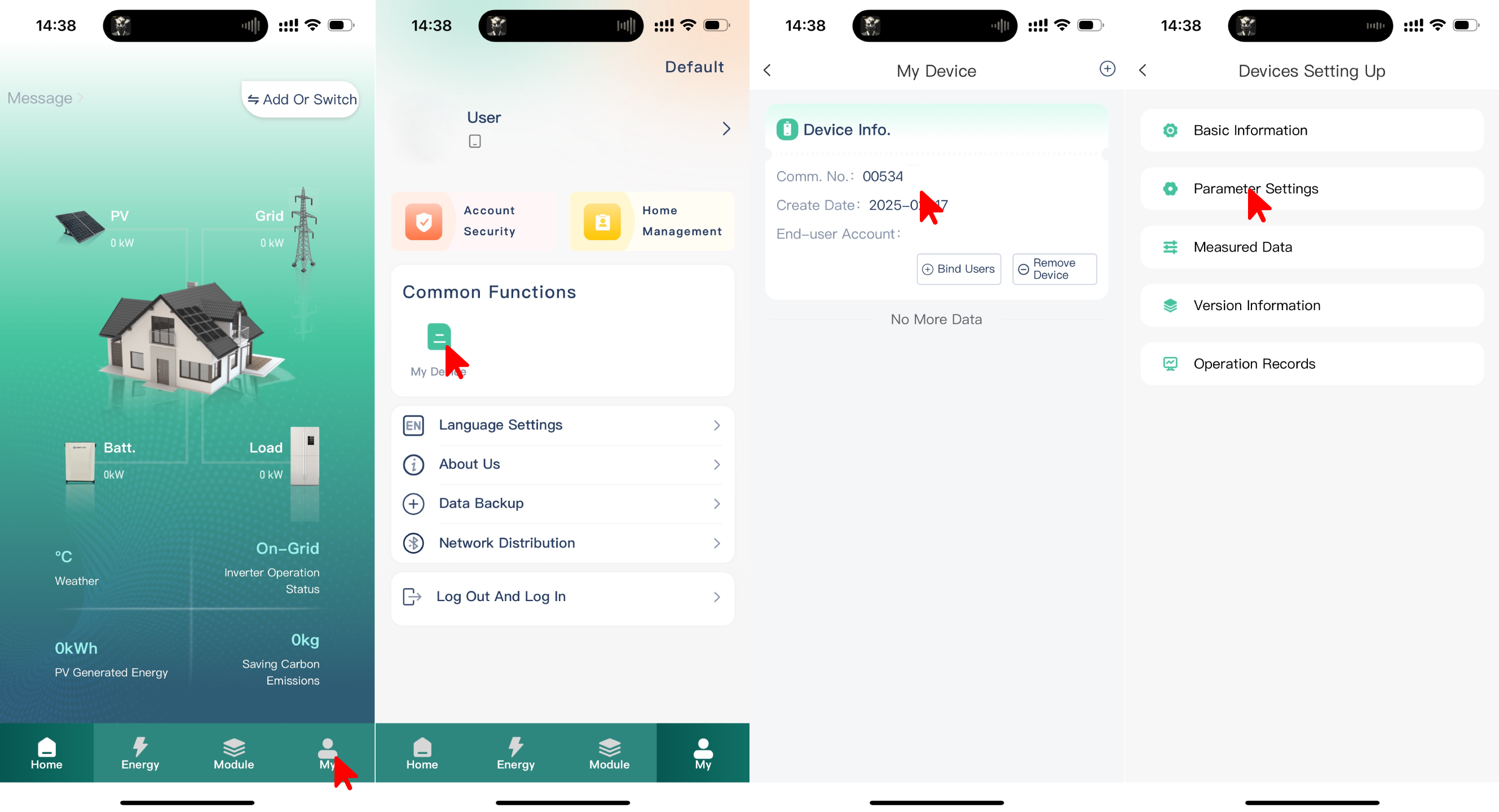
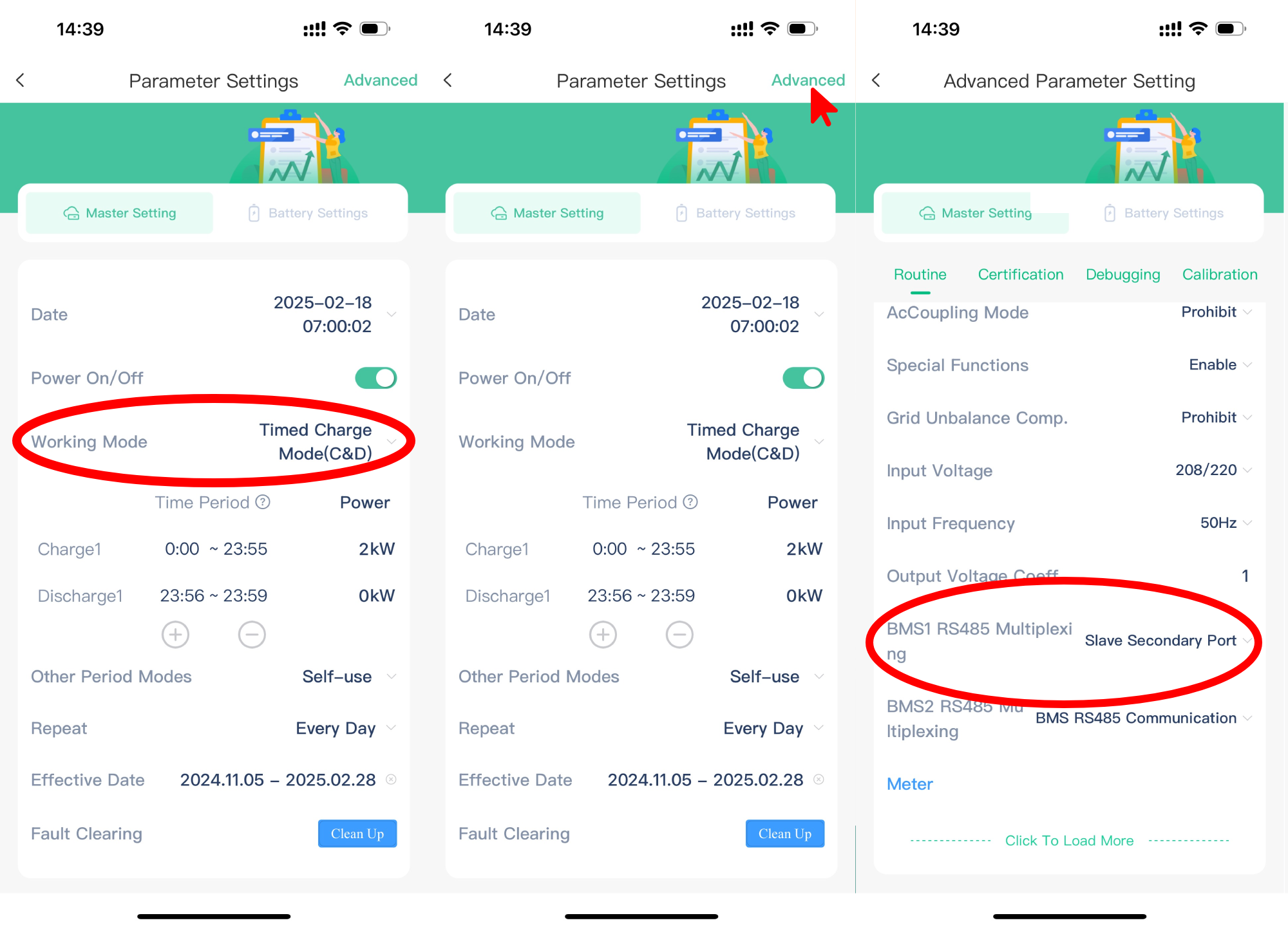
يجب ضبط Ampihome أحادي الطور على منفذ Slave Secondary Port:
- افتح تطبيق ESS Link
- حدد "My" في الزاوية السفلية اليمنى
- حدد "My Device"
- حدد "Comm No." الخاص بالجهاز
- حدد "Parameter Settings"
- اضبط "Working Mode" على "Timed Charge Mode (C&D)"
- حدد "Advanced" في الزاوية العلوية اليمنى
- اضبط "BMS1 RS485 Multiplexing" على "Slave Secondary Port"
تحذير
NOTE: RS485 Device Addresses
- You MUST give each device on the RS485 bus a unique address. Check the manual of the device on how to do this.
- Use lower addresses first (1, 2, ...) because the SmartgridOne Controller will find them faster!
- For each device, it is generally recommended to stick with the factory default baud rate, parity, and stop bits. The SmartgridOne Controller will scan on those first.
Last updated December 11, 2025Edit this page