
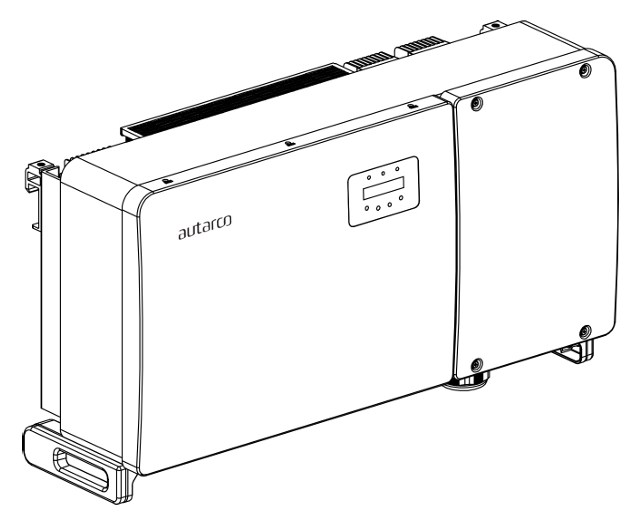
تصف هذه الصفحة الاتصال مع عاكس Autarco من سلسلة OX متصل بالشبكة عبر Modbus-RTU (rs485). يُعيَّن العاكس على العنوان 1 افتراضيًا.
تحتوي عاكسات OX على منافذ الاتصال التالية:
- COM1: موصل أخضر ذو 4 أطراف لمسجل بيانات WiFi/Cellular.
- COM2 وCOM3: مداخل كابلات وغطاء به نقاط التوصيل التالية خلفه:
- وصلتا RJ45
- كتلة أطراف RS485 واحدة
بالنسبة إلى SmartgridOne Controller تحديدًا، يتم اتصال RS485 عبر منفذ "COM2 Terminal Block". وقد تم تحديد هذا المنفذ داخل المربع البرتقالي في الصورة أدناه:
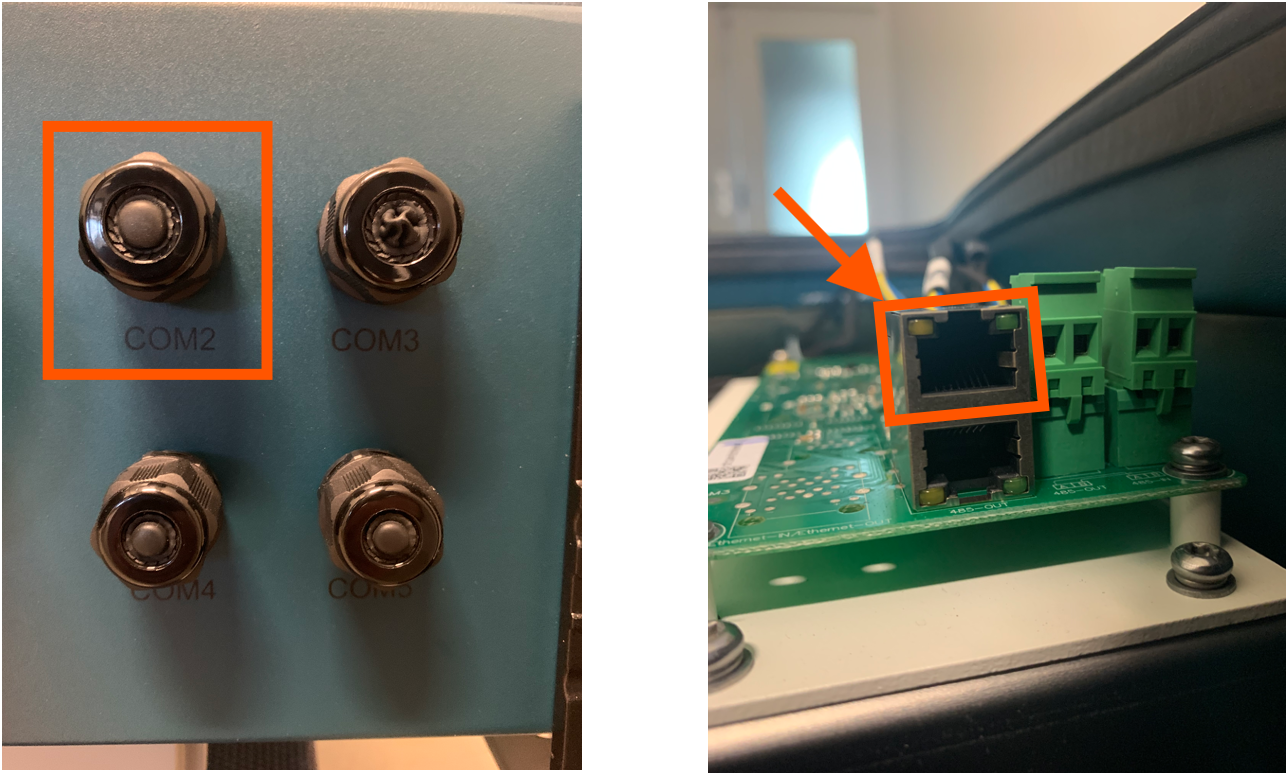
المنفذ هو منفذ RJ45 يُستخدم لاتصال RS485. يجب تجهيز كابل لتوصيل العاكس بالعاكس.
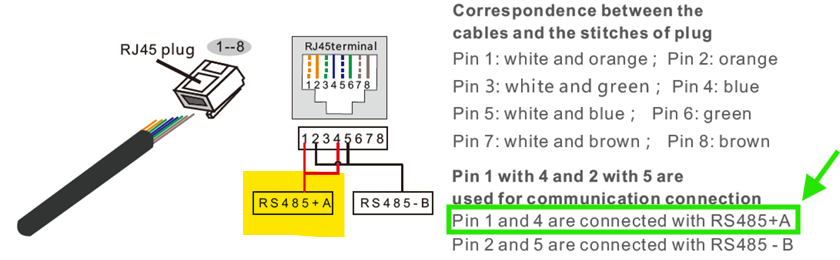
- أدخل السلك في موصل RJ45، ثم اكبس الموصل باستخدام أداة الكبس.
- أزل صامولة الغطاء من مداخل الكابلات المقاومة للماء والموسومة COM2 وCOM3 في أسفل العاكس. أزل السدادة من التركيب.
- أدخل موصل RJ45 في منفذ RJ45 الموجود في حجرة صيانة العاكس.
- أعد تركيب صواميل الغطاء الخاصة بـ COM2/3 وأحكم ربطها.
معلومات
RS485 Wiring
- For correct RS485 wiring: Follow the guidelines for RS485 wiring.
- If the wiring shown in the table below is incorrect, please let us know.
- There is no general consensus in the industry about the usage of A and B for the RS485 polarity, so it may be counterintuitive and opposite of what you might expect for some devices.
| Device | SmartgridOne Controller model OM1 | SmartgridOne Controller model IG8 | RS485-USB converter | RS485-Ethernet converter |
|---|---|---|---|---|
| Pin 3 | RS485 A | RS485_POS | RS485 A | TX+ |
| Pin 4 | RS485 B | RS485_NEG | RS485 B | TX- |
| N/A | RS GND | GND | Not available | G |
تحذير
NOTE: RS485 Device Addresses
- You MUST give each device on the RS485 bus a unique address. Check the manual of the device on how to do this.
- Use lower addresses first (1, 2, ...) because the SmartgridOne Controller will find them faster!
- For each device, it is generally recommended to stick with the factory default baud rate, parity, and stop bits. The SmartgridOne Controller will scan on those first.
Last updated March 10, 2026Edit this page