

System baterii Fortona 48TL200
Obsługiwane urządzenia
| Device Type | Variants | Modbus TCP (Ethernet) | RS485 | Curtailment |
|---|---|---|---|---|
| Fortona 48TL200 (FZSoNick) | 48TL200 | ❌ | ✅ | ❌ |
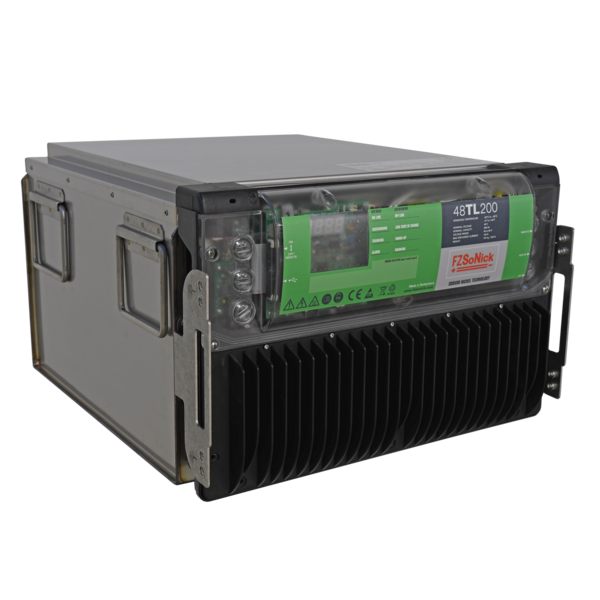
Okablowanie
SmartgridOne Controller komunikuje się z systemem baterii Fortona 48TL200 za pomocą RS485 (Modbus RTU).
Podłącz linie RS485 do portów komunikacyjnych RJ45 na przednim panelu baterii.
Informacja
RS485 Wiring
- For correct RS485 wiring: Follow the guidelines for RS485 wiring.
- If the wiring shown in the table below is incorrect, please let us know.
- There is no general consensus in the industry about the usage of A and B for the RS485 polarity, so it may be counterintuitive and opposite of what you might expect for some devices.
| Device | SmartgridOne Controller model OM1 | SmartgridOne Controller model IG8 | RS485-USB converter | RS485-Ethernet converter |
|---|---|---|---|---|
| RS485 D+ | RS485 A | RS485_POS | RS485 A | TX+ |
| RS485 D– | RS485 B | RS485_NEG | RS485 B | TX- |
| GND | RS GND | GND | Not available | G |
Ostrzeżenie
NOTE: RS485 Device Addresses
- You MUST give each device on the RS485 bus a unique address. Check the manual of the device on how to do this.
- Use lower addresses first (1, 2, ...) because the SmartgridOne Controller will find them faster!
- For each device, it is generally recommended to stick with the factory default baud rate, parity, and stop bits. The SmartgridOne Controller will scan on those first.
Konfiguracja
1. Sprawdź okablowanie RS485
- Upewnij się, że linie RS485 D+, RS485 D– oraz GND są poprawnie połączone.
- Użyj skrętki odpowiedniej do komunikacji RS485.
- Jeśli do magistrali podłączonych jest wiele urządzeń, zakończ ostatnie według najlepszych praktyk RS485.
- Zweryfikuj, że wszystkie urządzenia mają takie same parametry komunikacji.
Wskazówka
Wskazówka
Parametry komunikacji
- Protokół: Modbus RTU
- Prędkość transmisji: 115200
- Parzystość: Nieparzysta lub Parzysta
- Bity stopu: 1
- Zakres adresów Modbus: 1–247 (każde urządzenie musi mieć unikalny identyfikator)
2. Skonfiguruj SmartgridOne Controller
W interfejsie SmartgridOne Controller:
- Dodaj nowe urządzenie RS485.
- Wybierz „Protokół Modbus baterii Fortona 48TL200”.
- Wprowadź powyższe parametry RS485:
- Prędkość: 115200
- Parzystość: Nieparzysta (lub Parzysta, w zależności od systemu)
- Bity stopu: 1
- Ustaw poprawny adres Modbus dla baterii.
- Zapisz i zastosuj konfigurację.
Ostrzeżenie
Ostrzeżenie
Każda bateria Fortona 48TL200 musi mieć unikalny identyfikator Modbus slave.
Unikaj duplikatów ID na tej samej linii RS485.
3. Włącz zasilanie i zweryfikuj
- Podaj 54–60 VDC na system baterii.
- Włącz główny przełącznik.
- BMS się zainicjuje — oba diody LED na przednim panelu będą migać podczas uruchamiania.
- Po uruchomieniu systemu obie diody świecą się trwale.
- SmartgridOne Controller powinien teraz automatycznie wykryć i odczytać dane z baterii.
Wskazówka
Wskazówka
Bateria automatycznie zaczyna się ładować, jeśli poziom naładowania (SOC) jest poniżej 100%.
Last updated December 10, 2025Edit this page