

Setting up EPEX Spot Solar
The manual describes the steps to set up EPEX Spot Solar on the SmartgridOne Controller.
When setting up this integration, the default control modes are overwritten for all selected PV devices. Batteries are NOT included.
Supported Devices
| Device Type | Variants | Supported |
|---|---|---|
| Solar Inverters | All | ✅ |
| Storage Devices | ❌ | |
| EV Chargers |
Supported Countries
| Country | Supported |
|---|---|
| Belgium | ✅ |
| Netherlands |
Prerequisites
1. Add the PV inverters
Login to the commissioning interface and make sure the devices are added to the SmartgridOne Controller.
2. Check the grid power limits
In the settings, the grid power limits should be set correctly. Click Settings and check the highlighted setting in the image. If necessary, adjust the settings.
Add 'EPEX Spot Solar'
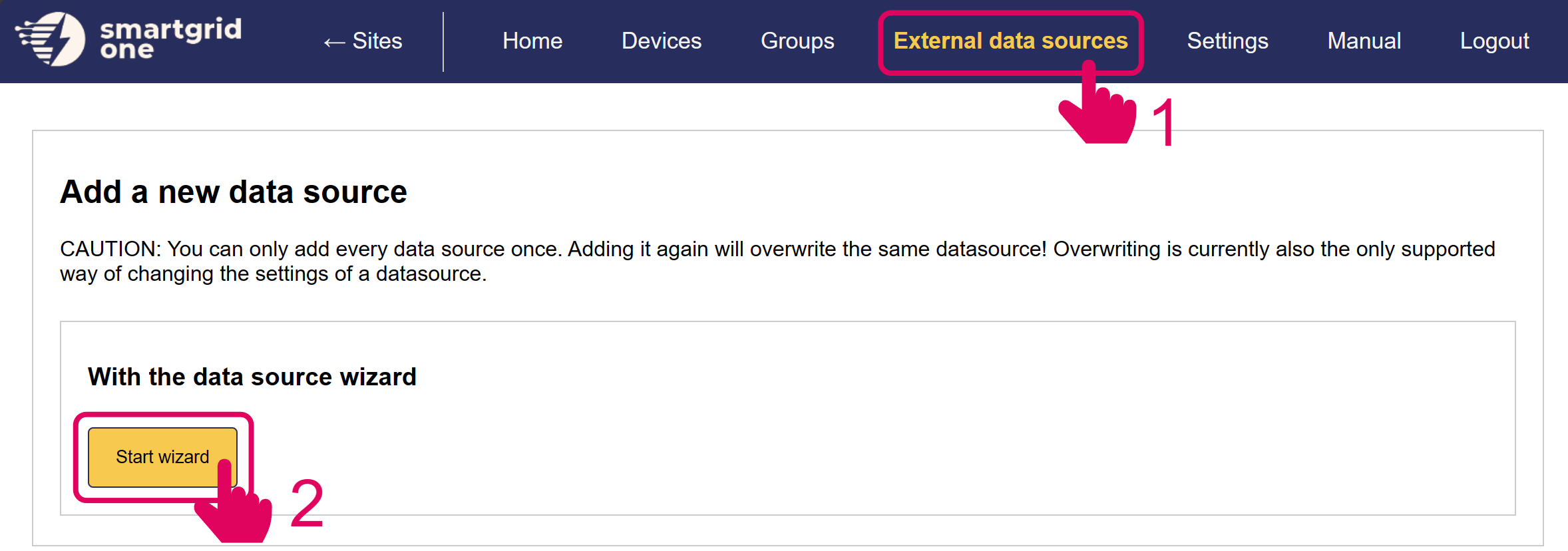
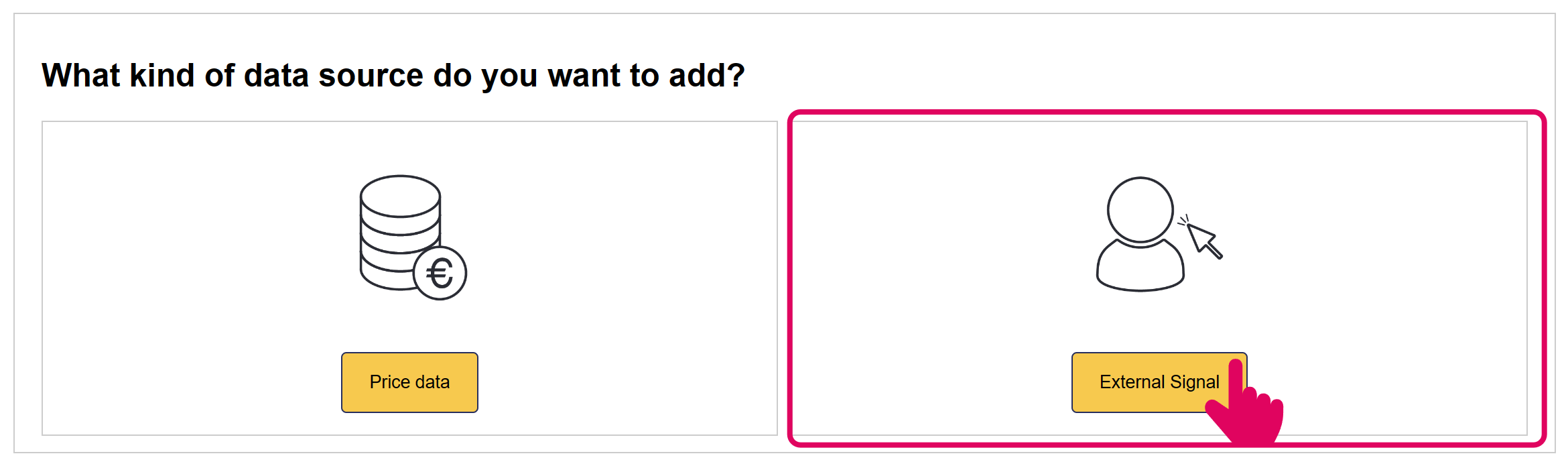
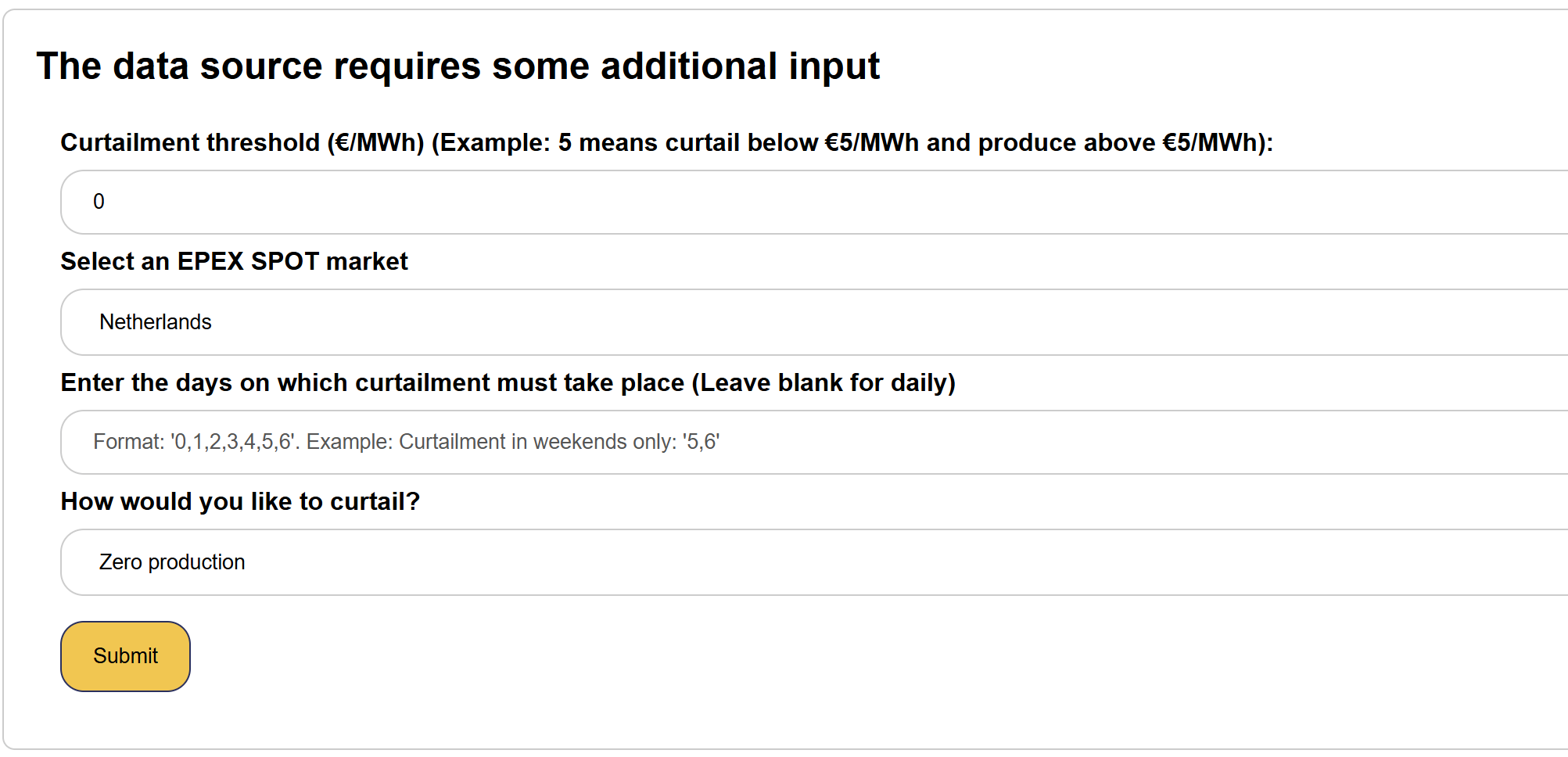
There are four available parameters:
-
Curtailment Threshold
When the Day-Ahead EPEX Price falls under this threshold, the PV inverters will be curtailed.
-
Market
Select the EPEX Market in Belgium or Netherlands
-
Days on which curtailment takes place
If curtailment must not take place every day of the week (e.g. excluding weekends), specific days can be selected.
-
Curtailment strategy
Curtailment entails either zero production, or zero injection. Zero production will shut off inverters during curtailment periods, whereas zero injection will ensure inverters produce enough to compensate for self-consumption.
In the next page, you have the option to include/exclude devices for remote control. Ensure to mark all checkboxes of devices you'd like to include.
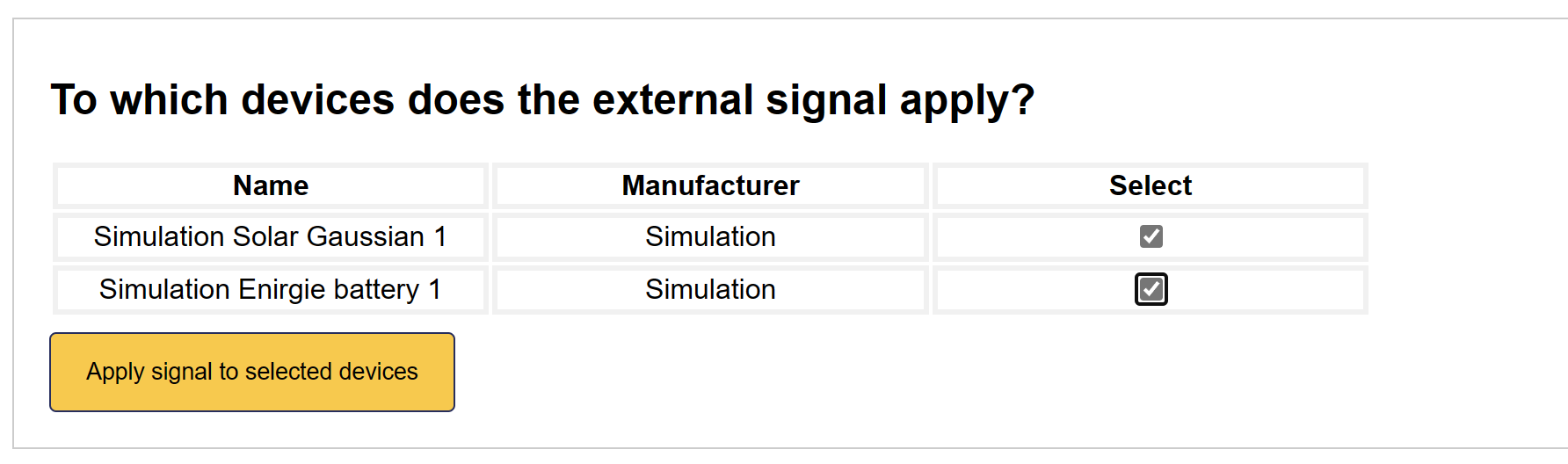
'EPEX Spot Solar' is now set up on the SmartgridOne Controller.