
Metcom Energy Meters

Supported Devices
| Device Type | Modbus TCP (Ethernet) | RS485 |
|---|---|---|
| Metcom MCS301 | ✅ | ✅ |
| Metcom Blue2box | ❌ |
Wiring
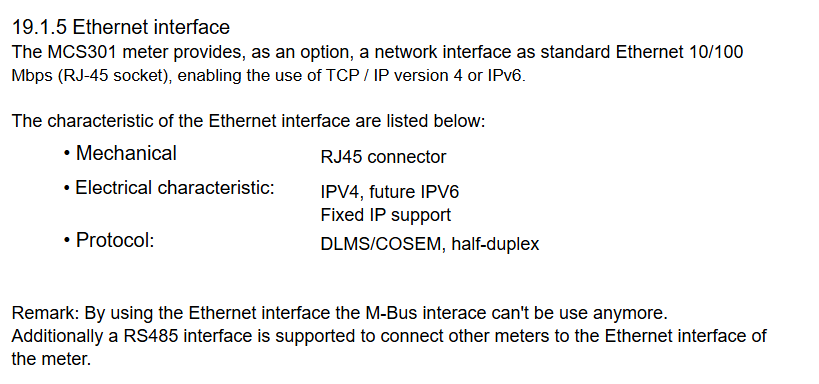
Ethernet
For correct ethernet wiring: Follow the the guidelines for ethernet wiring.
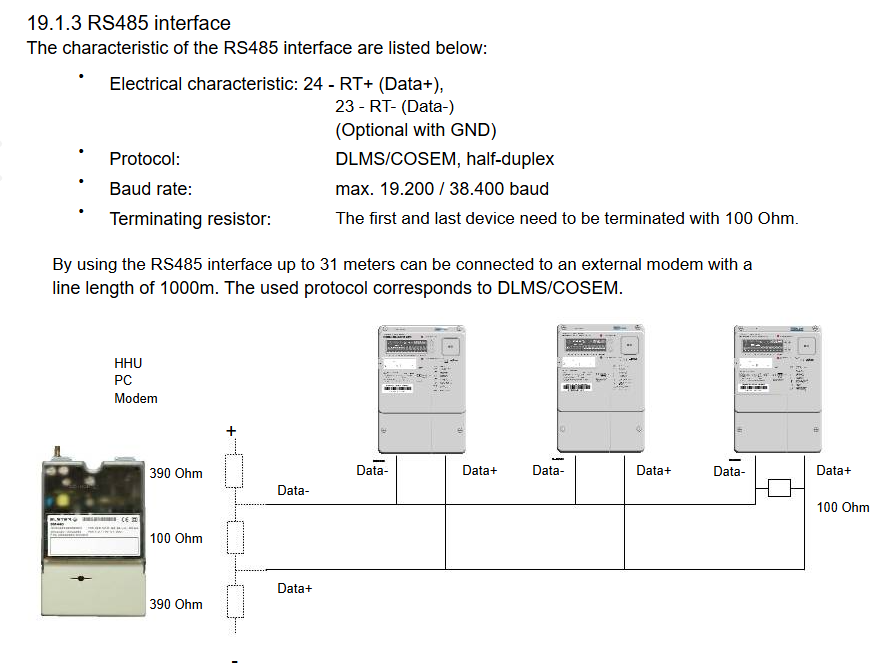
RS485
Info
RS485 Wiring
- For correct RS485 wiring: Follow the guidelines for RS485 wiring.
- If the wiring shown in the table below is incorrect, please let us know.
- There is no general consensus in the industry about the usage of A and B for the RS485 polarity, so it may be counterintuitive and opposite of what you might expect for some devices.
| Device | SmartgridOne Controller model OM1 | SmartgridOne Controller model IG8 | RS485-USB converter | RS485-Ethernet converter |
|---|---|---|---|---|
| A | RS485 A | RS485_POS | RS485 A | TX+ |
| B | RS485 B | RS485_NEG | RS485 B | TX- |
| N/A | RS GND | GND | Not available | G |
Configuration
Ethernet
View the manual for more information on configuration.
RS485
View the manual for more information. The energy meter uses the DLMS/COSEM broadcast protocol, so it should not be necessary to set an address.
Last updated December 11, 2025Edit this page