
Inverter Ampowr

Inverter Ampowr
Dispositivi supportati
| Device Type | Variants | Modbus TCP (Ethernet) | RS485 |
|---|---|---|---|
| Ampihome | Single-Phase | ❌ | ✅ |
| Three-Phase | |||
| Hybrid | ✅ |
Cablaggio
Il SmartgridOne Controller e gli inverter Ampihone comunicano tramite RS485 o Ethernet.
Ethernet
Per un cablaggio Ethernet corretto: seguire le linee guida per il cablaggio Ethernet.
RS485
Info
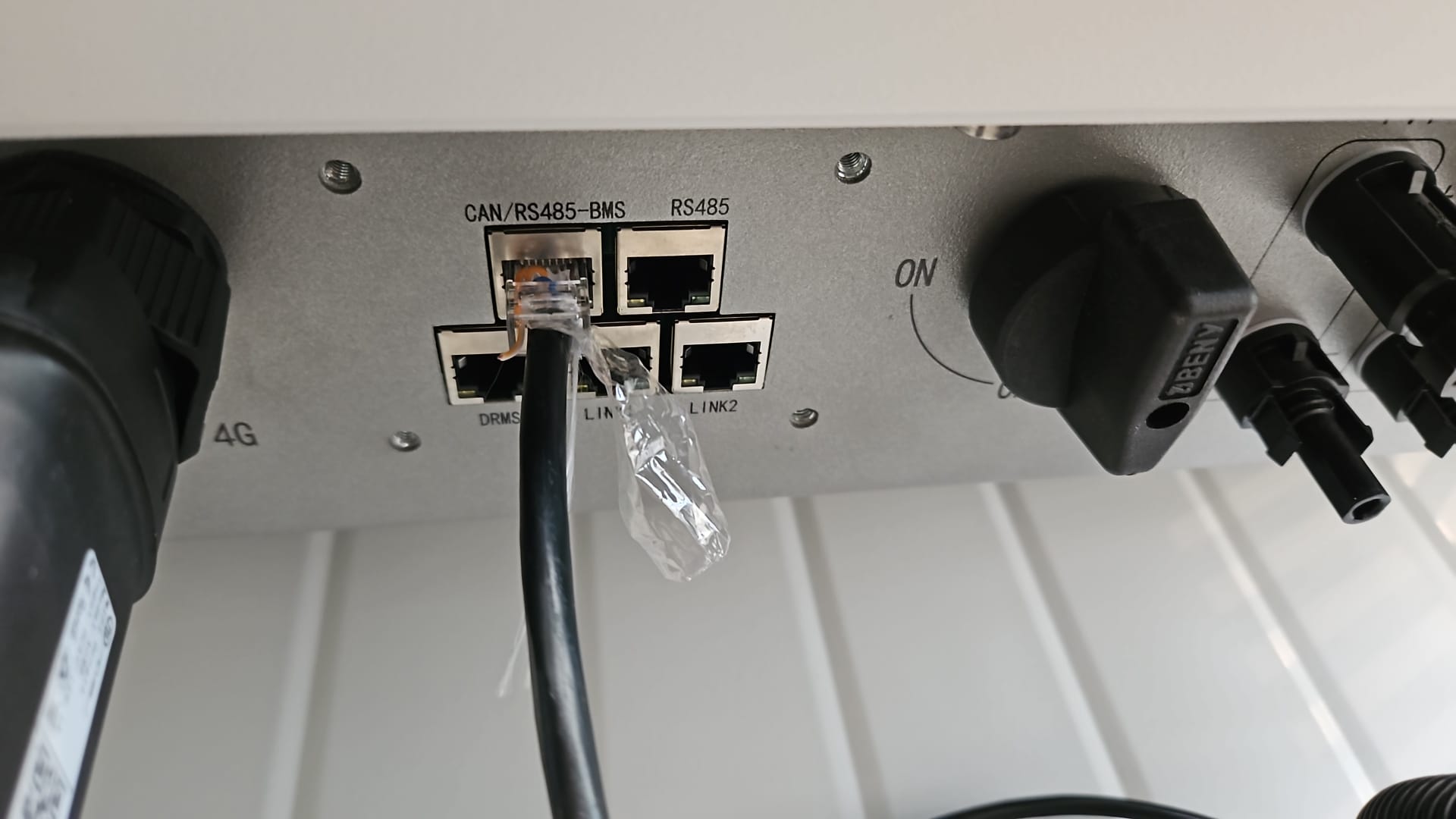
RS485 Wiring
- For correct RS485 wiring: Follow the guidelines for RS485 wiring.
- If the wiring shown in the table below is incorrect, please let us know.
- There is no general consensus in the industry about the usage of A and B for the RS485 polarity, so it may be counterintuitive and opposite of what you might expect for some devices.
| Device | SmartgridOne Controller model OM1 | SmartgridOne Controller model IG8 | RS485-USB converter | RS485-Ethernet converter |
|---|---|---|---|---|
| Pin 7 (White-Brown) | RS485 A | RS485_POS | RS485 A | TX+ |
| Pin 8 (Brown) | RS485 B | RS485_NEG | RS485 B | TX- |
| N/A | RS GND | GND | Not available | G |
Avviso
Avviso
Non riesco a trovare il mio inverter Ampihome Per gli inverter ibridi Ampowr, gli indirizzi bus predefiniti sono 247 per Modbus RTU e 255 per Modbus TCP. Il SmartgridOne Controller eseguirà la scansione dei dispositivi a tutti gli indirizzi da 1 a 255. Pertanto, la scansione dei dispositivi può richiedere qualche tempo.
SUGGERIMENTO: Se conosci l'indirizzo bus del tuo inverter, puoi impostarlo nel SmartgridOne Controller per velocizzare il processo di scansione.
Configurazione
Ampihome monofase
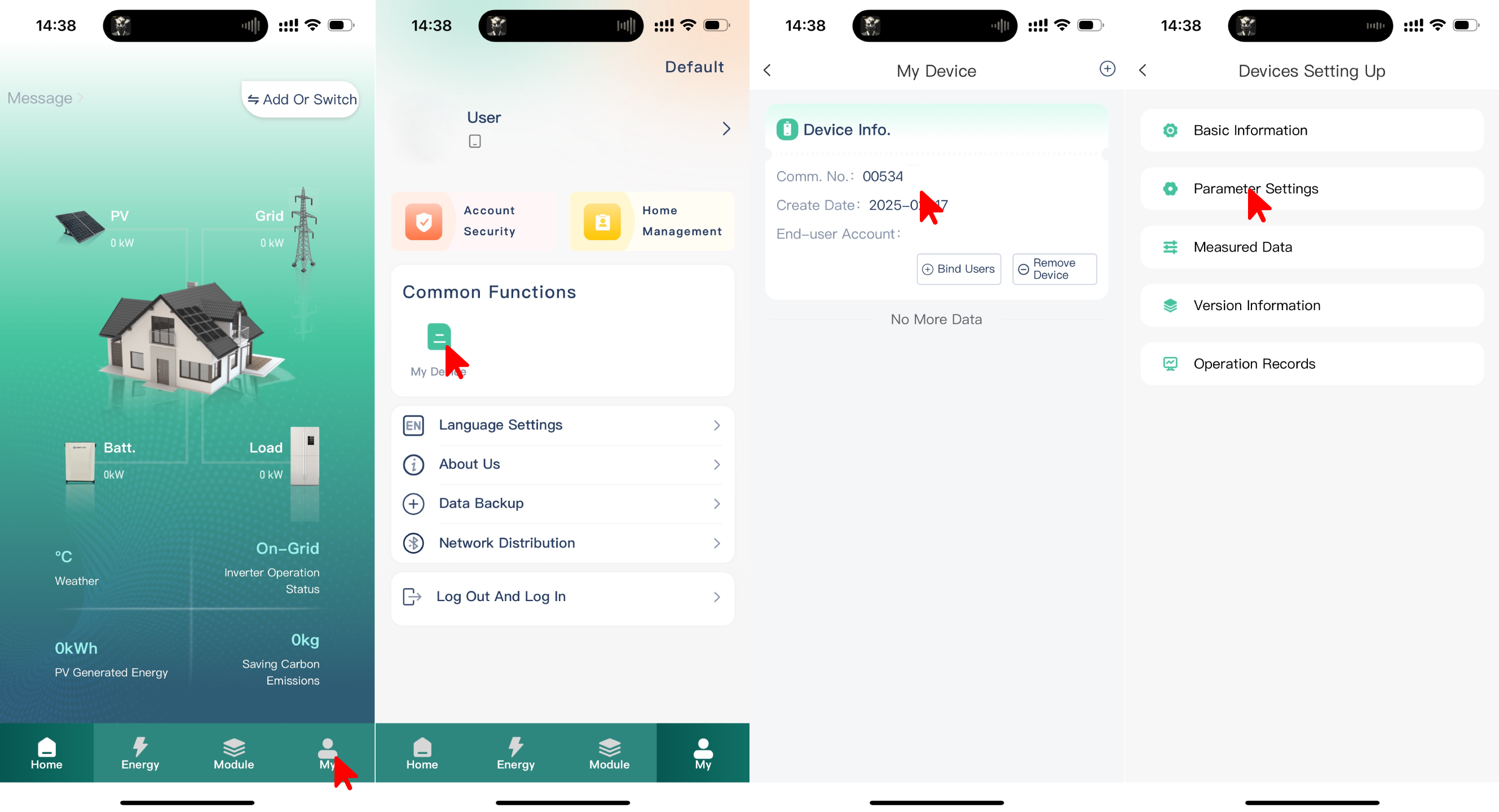
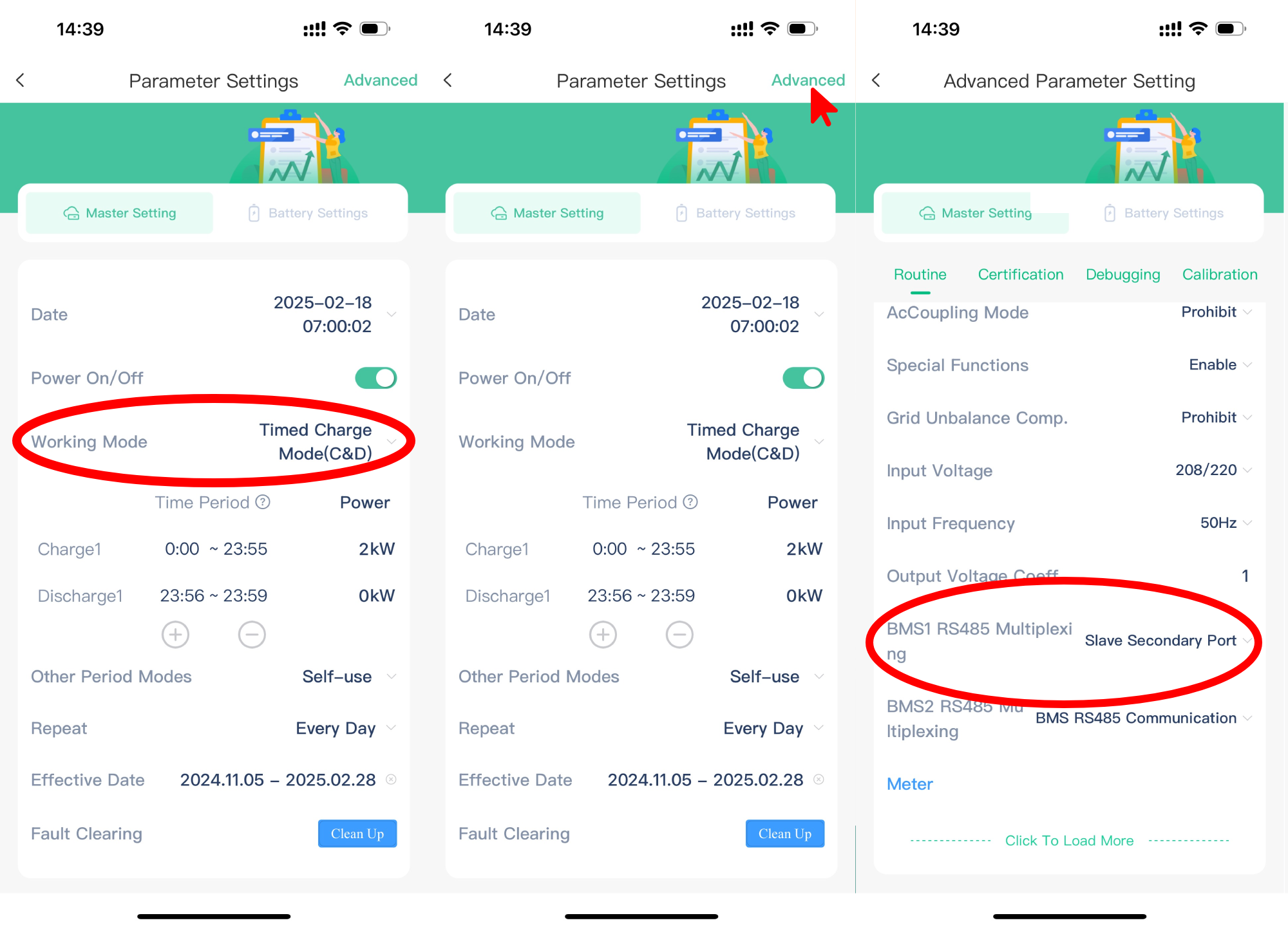
L'Ampihome monofase deve essere impostato su Porta secondaria slave:
- Apri l'app ESS Link
- Seleziona "Mio" nell'angolo in basso a destra
- Seleziona "Il mio dispositivo"
- Seleziona "N. comunicazione" del dispositivo
- Seleziona "Impostazioni dei parametri"
- Imposta "Modalità di funzionamento" su "Modalità di ricarica programmata (C&D)"
- Seleziona "Avanzate" nell'angolo in alto a destra
- Imposta "Multiplexing RS485 BMS1" su "Porta secondaria slave"
Avviso
NOTE: RS485 Device Addresses
- You MUST give each device on the RS485 bus a unique address. Check the manual of the device on how to do this.
- Use lower addresses first (1, 2, ...) because the SmartgridOne Controller will find them faster!
- For each device, it is generally recommended to stick with the factory default baud rate, parity, and stop bits. The SmartgridOne Controller will scan on those first.
Last updated December 11, 2025Edit this page