
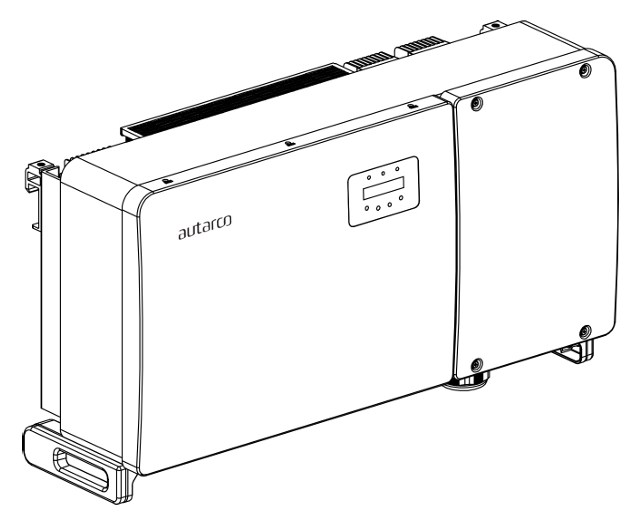
This page describes the communication with an Autarco OX-series on-grid inverter over Modbus-RTU (rs485). By default, the inverter is set to address 1.
The OX inverters have the following communication ports:
- COM1: Green 4 pin connector for WiFi/Cellular datalogger.
- COM2 and COM3: Cable glands and cover with following connection points behind:
- 2 x RJ45 connections
- 1 x RS485 terminal bloc
Specifically for the SmartgridOne Controller, the RS485 communication happens over the 'COM2 Terminal Block' port. This marked in the orange box in the image below:
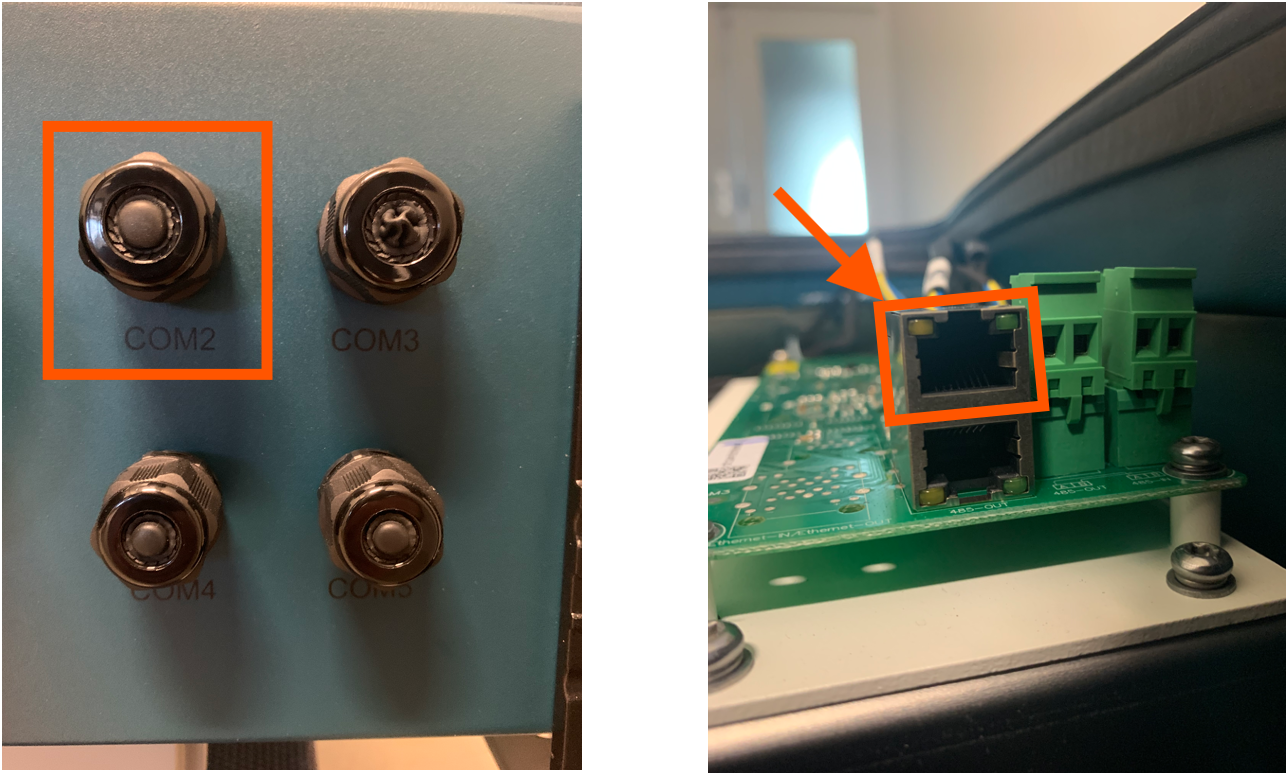
The port is an RJ45-port, used for the RS485 communication. A cable need to be prepared to connect the inverter to the inverter.
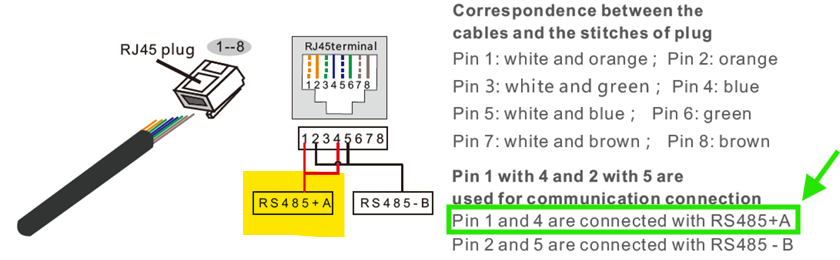
- Insert the wire into the RJ45 connector then crimp the connector with the crimping tool.
- Removethe cap nut from the waterproof cable glands labeled COM2 and COM3 at the bottom of the inverter. Remove the plug from the fitting.
- Insert the RJ45 connector into the RJ45 port in the inverter maintenance chamber.
- Replace the cap nuts for COM2/3 and tighten firmly.
Info
RS485 Wiring
- For correct RS485 wiring: Follow the guidelines for RS485 wiring.
- If the wiring shown in the table below is incorrect, please let us know.
- There is no general consensus in the industry about the usage of A and B for the RS485 polarity, so it may be counterintuitive and opposite of what you might expect for some devices.
| Device | SmartgridOne Controller model OM1 | SmartgridOne Controller model IG8 | RS485-USB converter | RS485-Ethernet converter |
|---|---|---|---|---|
| Pin 3 | RS485 A | RS485_POS | RS485 A | TX+ |
| Pin 4 | RS485 B | RS485_NEG | RS485 B | TX- |
| N/A | RS GND | GND | Not available | G |
Warning
NOTE: RS485 Device Addresses
- You MUST give each device on the RS485 bus a unique address. Check the manual of the device on how to do this.
- Use lower addresses first (1, 2, ...) because the SmartgridOne Controller will find them faster!
- For each device, it is generally recommended to stick with the factory default baud rate, parity, and stop bits. The SmartgridOne Controller will scan on those first.
Last updated March 11, 2026Edit this page