SmartgridOne logo
SmartgridOne logo
Quick StartInstallationNetworkWiring & connectivity guidelinesApp
OverviewNew integrations
a-TroniXABB, FIMERADS-TecAforeAlphaESSAmpowrAngileAnklous PV, Hybrid and Battery InvertersAPsystemsAteps BatteryBeauventC-BatteryCellpowerChisageDanfossDeltaDET Power PV, Hybrid and Battery InvertersDEYEDiehl-AkoDMEGC InvertersDynessDysun EnergyEcosourcenEenovanceElecnovaEnbrilionEnergreenEnerlutionEnjoyPowersEnphaseEP EquipmentESY InvertersFortonaFraxFroniusGoodWeGotionGreener / AlfenHiteHithiumHypontechiWellJinkoKacoKehuaKostalMarstekMastervoltMidTeQMotomaOctave EnergyOmniPowerPixiiPower-SonicPoweroadPylontechRefurbRegitecRenonRitarSAJSchneider SunEzySchucoSCUSessySigenergySinexcelSocomecSolarlogSolarMaxSolarwattSolaxSolintegSolplanetSunwaytechSunwodaSus-PowerTeclomanTeploreTesvoltVaconVictronVolstoraWattsNextXantrexZeversolar
Autarco
Solis
SpecificationsStatus LEDsControl response timeVideo tutorialsCertificatesLicenseSafety, maintenance and legal notices
DevicesPV hybrid and battery inverters
logo

KACO Inverters

Supported Devices

Device TypeVariantsModbus TCP (Ethernet)RS485Curtailment
blueplanet TL350.0 / 60.0✅❌✅
87.0 / 92.0 / 105.0🔶 (specific software required)
Warning

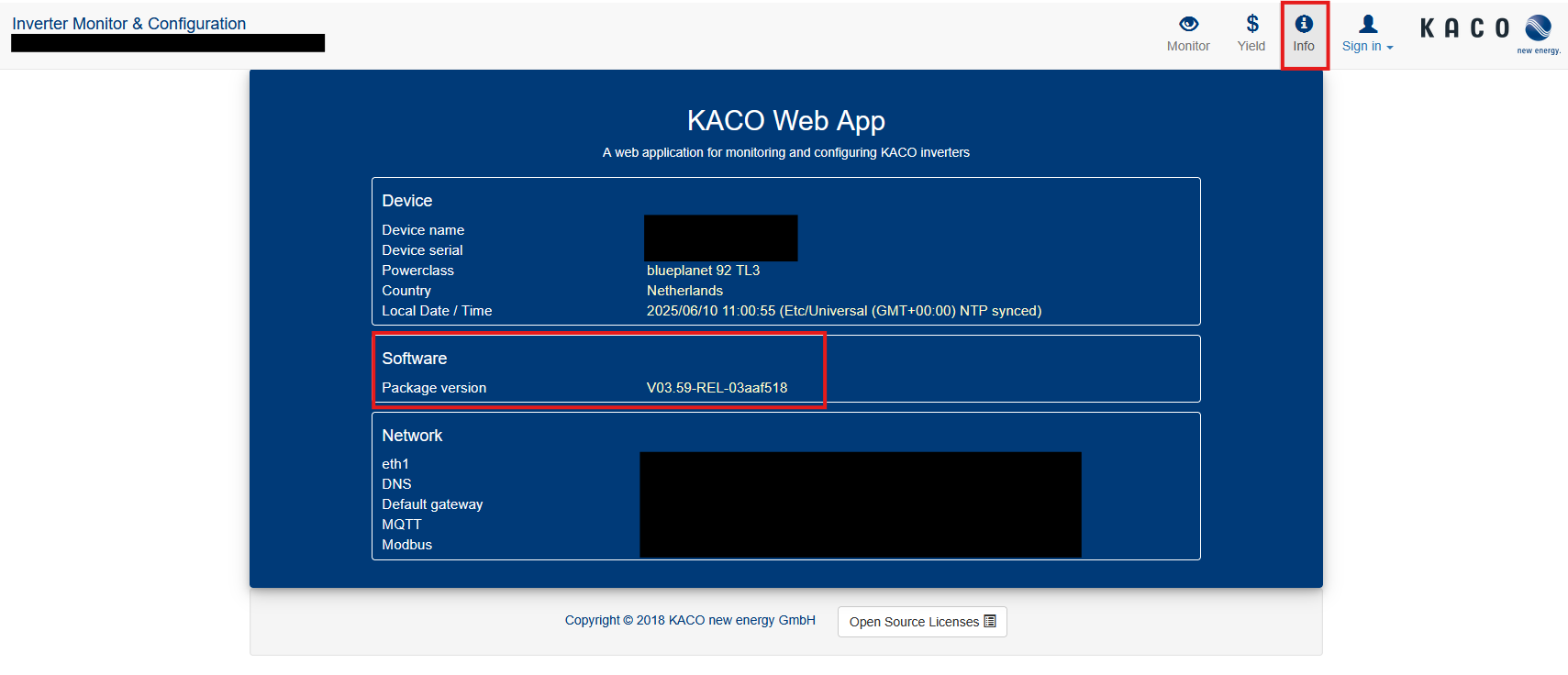
Curtailment of the blueplanet TL3 87.0 / 92.0 / 105.0 inverters is only possible with software version V03-59-REL-03aaf518 or newer. You can check the software version of the inverter under the "info" tab.

KACO software version

Wiring

The SmartgridOne Controller and the Kaco inverters communicate via Ethernet.

Ethernet

For correct ethernet wiring: Follow the the guidelines for ethernet wiring.

Configuration

blueplanet 50.0 / 60.0 TL3

Modbus Write access must be enabled in the settings of the inverter:

  1. Log in to the interface of the inverter on the local Network
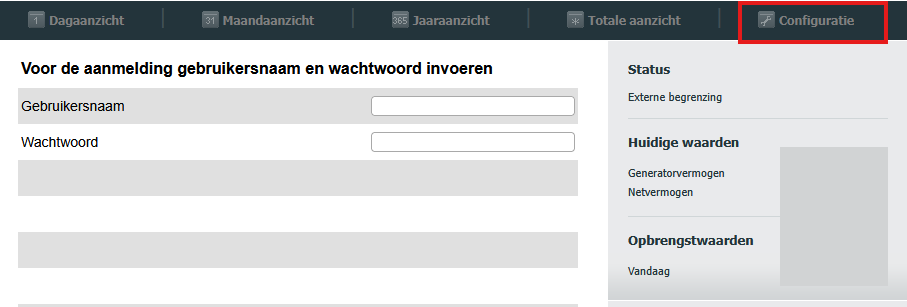
KACO blueplanet 50.0/60.0 Interface login
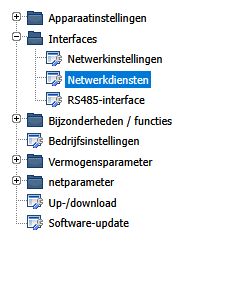
  1. Go to Interfaces and Network Services
KACO blueplanet 50.0/60.0 Interface menu
  1. Enable the "Modbus TCP Write access" setting
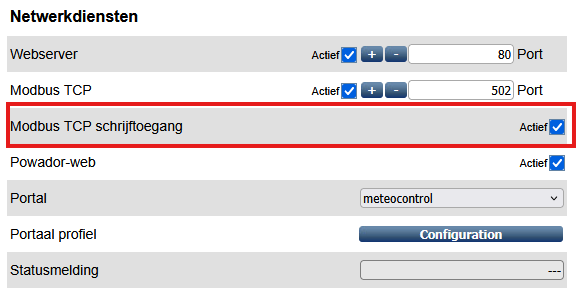
KACO blueplanet 50.0/60.0 Interface setting

blueplanet 92.0 / 105.0 TL3

Modbus Write access must be enabled in the settings of the inverter:

  1. Log in to the interface of the inverter on the local Network
  2. Go to Interfaces and then Network Services
  3. Enable both the "Modbus TCP/UDP Read access" and "Modbus TCP/UDP Write access" settings
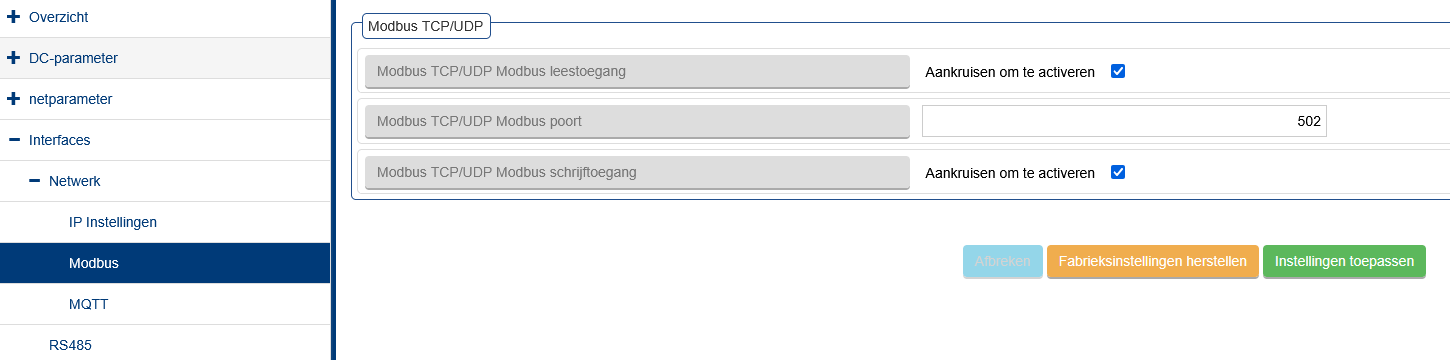
KACO blueplanet 92.0 / 105.0 Interface setting

Jinko

Previous Page

Kehua

Next Page

On this page

KACO InvertersSupported DevicesWiringEthernetConfigurationblueplanet 50.0 / 60.0 TL3blueplanet 92.0 / 105.0 TL3